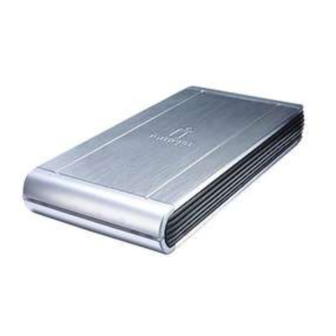
Iomega Home Network Manuel D'installation
Table des Matières
Les langues disponibles
Les langues disponibles
Liens rapides
Home Network
Hard Drive
Network/USB 2.0
Quick Install
Installation rapide
Schnellstart
Installazione rapida
Instalación rápida
快速安裝指南
Instalação rápida
Snelle installatie
Snabbinstallation
Hurtig installation
Rask installering
Pika-asennus
Gyors telepítés
Rychlá instalace
Skrócona instrukcja insalacji
Γρήγορη εγκατάσταση
Table des Matières

Manuels Connexes pour Iomega Home Network


Sommaire des Matières pour Iomega Home Network
- Page 1 Home Network Hard Drive Network/USB 2.0 Snabbinstallation Quick Install Hurtig installation Installation rapide Rask installering Schnellstart Pika-asennus Installazione rapida Gyors telepítés Instalación rápida 快速安裝指南 Rychlá instalace Skrócona instrukcja insalacji Instalação rápida Γρήγορη εγκατάσταση Snelle installatie...
-
Page 4: Installation Rapide
Installation rapide REMARQUE : l’installation rapide couvre la connexion de votre disque dur Home Network à un réseau. Pour plus d’informations sur la connexion de votre disque dur à un ordinateur par USB, consultez le guide de l’utilisateur disponible sur le CD Solutions. -
Page 5: Dépannage
Configuration du disque dur Home Network Pour configurer votre disque dur Home Network, lancez le logiciel Discovery Tool Home. Une fois la Liste des périphériques mise à jour, sélectionnez votre disque dans cette liste et cliquez sur Gérer le disque. -
Page 7: Arbeiten Mit Der Home Network-Festplatte
Arbeiten mit der Home Network-Festplatte Konfigurieren der Home Network-Festplatte Um Ihre Home Network-Festplatte zu konfigurieren, starten Sie Discovery Tool Home. Sobald die Geräteliste aktualisiert ist, wählen Sie Ihr Laufwerk aus der Geräteliste und klicken Sie anschließend auf Laufwerk verwalten. Klicken Sie in der Geräteliste auf Ihr Laufwerk. Verwenden Sie den folgenden Benutzernamen und das folgendes Kennwort, um Ihr Laufwerk zu konfigurieren: Standardmäßiger Benutzername: admin... - Page 24 (shipping may be charged), and Iomega may use new or refurbished parts or products to do so. The replaced part/product will be warranted for the remainder of the original warranty or three (3) months from the date of shipment of such parts/products, whichever is longer. If Iomega is unable to repair or replace a defective product, your alternate exclusive remedy shall be a refund of the original purchase price The above is Iomega’s entire obligation to you under this warranty.
- Page 28 您要的解答就在網站上。優質的網路支援網站 www.iomega.com。選擇您所在的地區,然後選擇「支援」。 Copyright © 2008 Iomega Corporation. All rights reserved. Iomega, the stylized “i” logo, and REV are either registered trademarks or trademarks of Iomega Corporation in the United States and/or other countries. Microsoft and Windows are either registered trademarks or trademarks of Microsoft Corporation in the United States and/or other countries.