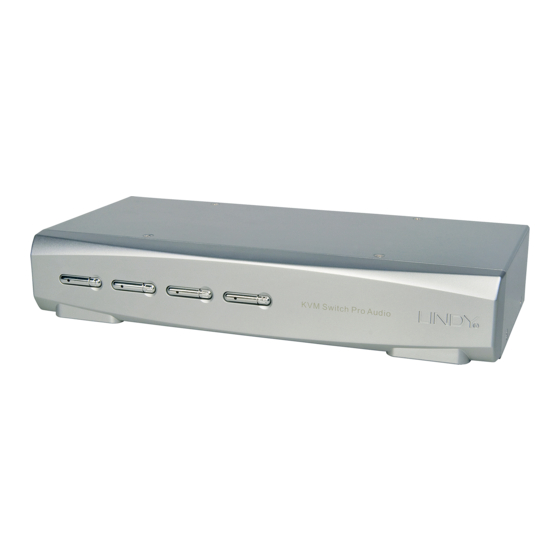
Lindy 32920 Manuel Utilisateur
Les langues disponibles
Les langues disponibles
KVM Switch Pro Audio
User Manual
Benutzerhandbuch
Manuel Utilisateur
Manuale d'uso
LINDY No. 32920 – 2 Port VGA
LINDY No. 32921 – 4 Port VGA
www.LINDY.com
For Home and Office Use
Tested to Comply with
FCC Standards
© LINDY ELECTRONICS LIMITED
&
LINDY-ELEKTRONIK GMBH
English
Deutsch
Français
Italiano
-
FIRST EDITION (SEP 2008)
User Manual
Introduction
Thank you for purchasing the LINDY KVM Switch Pro Audio. This product is covered by a
limited 2 Year warranty.
Please read this manual carefully to fully understand all the functions and features of this
advanced KVM Switch.
This KVM Switch allows several computers to be connected and controlled from a single
keyboard, monitor and mouse thereby reducing hardware costs and maximising desk space.
Product Features
The LINDY KVM Switch Pro Audio supports advanced features that allow computers to share
and switch one PS/2 keyboard, mouse as well as one VGA monitor and stereo speakers and
microphone.
Computer port selection by any of the following:
•
o Front panel push buttons on the switch
o Keyboard Hotkey – configurable by the user
Hot plug support for Windows with mouse & keyboard reset function
•
Audio support for microphone and speakers. Includes selectable switching function which
•
can be configured to exclude audio switching for uninterrupted listening to the same source
PS/2, VGA and audio versions available with 2 or 4 ports and supplied with KVM cables for
•
connecting to the computers
Powered from the computers PS/2 ports – no power supply required. An optional regulated
•
DC 9V power supply may be connected if required
DVI-I versions are also available with support for USB keyboards and mice
•
DVI-I versions use advanced DVI-I technology for digital video as well as analogue video
•
signals via the DVI-I connector. Supports all digital DVI-D Single Link resolutions up to 1920
x 1200, and analogue VGA resolutions up to 2048 x 1536. Supports Dual Head video card
operation when used with two monitors per computer
Package contents
LINDY KVM Switch Pro Audio ( 2 or 4 port)
2 or 4 sets of KVM cables (depending on model) to connect the computers
This manual
English
- 2 -
Table des Matières

Manuels Connexes pour Lindy 32920


Sommaire des Matières pour Lindy 32920
-
Page 5: Options De Commutation Kvm
Séquence Vue en façade / Etape 2: connectez les ordinateurs via le câble combo fourni. Si vous avez besoin de câbles plus long, vous pouvez en commander jusqu’à 5m, auprès de LINDY. Vous pouvez aussi Hotkey Note rallonger les câbles via des câbles rallonge – cela dit, la qualité d’image ne sera pas optimale.