Sony MFM-HT95 Manuels
Manuels et Guides d'utilisation pour Sony MFM-HT95. Nous avons 2 Sony MFM-HT95 manuels disponible en téléchargement PDF gratuit: Mode D'emploi, Guide De Configuration Rapide
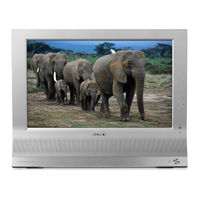
Sony MFM-HT95 Mode D'emploi (867 pages)
Table des Matières
-
Identifying Parts and Controls6
-
Setup 2: Connect the Cables9
-
Setup 3: Connect the Mains Lead12
-
Setup 5:Turn on the Display and Other Equipment12
-
Setup 4: Replace the Connector Cover12
-
Setup 6: Adjust the Tilt13
-
Setup 7: Insert Batteries into the Remote Control13
-
Watching the TV14
-
Setting the TV Channels14
-
Changing the TV Channel14
-
Arranging the Order of the TV Channels14
-
Customising the TV Channels15
-
Using Other Features16
-
Customising Your Display17
-
Navigating the Menu17
-
Picture Menu18
-
Adjusting "Gamma" (for PC 1/PC 2 Only)21
-
Resetting Picture Mode to the Default21
-
Audio Menu22
-
Resetting All Audio Settings to the Default23
-
Screen Menu24
-
Option Menu26
-
Setting "Input Sensing" (for PC 1/PC 2 Only)28
-
Resetting to the Default Setting29
-
Technical Features30
-
Controlling the Volume30
-
Power Saving Function31
-
Setting the Picture Mode31
-
Automatic Picture Quality Adjustment Function32
-
On-Screen Messages34
-
Trouble Symptoms and Remedies35
-
Transport44
-
Entsorgung von Gebrauchten Batterien44
-
Lage und Funktion der Teile und Bedienelemente45
-
Anschließen einer Antenne51
-
Speichern der Fernsehkanäle54
-
Wechseln des Fernsehkanals54
-
Ändern der Reihenfolge der Fernsehkanäle54
-
Individuelles Einstellen der Fernsehkanäle55
-
Weitere Funktionen56
-
Einstellen des Monitors57
-
Einstellen von "Gamma" (nur für PC 1/PC 2)61
-
Automatische Einstellung der Bildqualität65
-
Manuelles Einstellen der Bildposition66
-
Zurücksetzen auf die Standardwerte70
-
Technische Merkmale71
-
Einstellen der Lautstärke71
-
Die Stromsparfunktion71
-
Einstellen des Bildmodus72
-
Automatische Einstellung der Bildqualität (nur für PC 2)72
-
Fehlersymptome und Abhilfemaßnahmen75
-
Technische Daten78
-
Identificazione Delle Parti E Dei Comandi85
-
Punto 2: Collegamento Dei Cavi88
-
Punto 3: Collegamento del Cavo DI Alimentazione91
-
Collegamento DI Un'antenna91
-
Punto 4: Riapplicazione del Coperchio Dei Connettori91
-
Punto 5: Accensione del Display E Degli Altri Apparecchi92
-
Impostazione Dei Canali TV93
-
Punto 7: Inserimento Delle Batterie Nel Telecomando93
-
Modifica del Canale TV94
-
Personalizzazione Dei Canali TV94
-
Modifica Dell'ordine Dei Canali TV94
-
Personalizzazione del Display96
-
Menu Immagine98
-
Selezione Della Modalità Immagine Per98
-
Modalità Immagine101
-
Menu Audio102
-
Menu Schermo103
-
Impostazioni Audio103
-
Menu Opzioni106
-
Ripristino Dell'impostazione Predefinita109
-
Funzionalità Tecniche110
-
Controllo del Volume110
-
Funzione DI Risparmio Energetico110
-
Impostazione Della Modalità Immagine111
-
Funzione DI Regolazione Automatica Della Qualità Dell'immagine (Soltanto Per PC 2)111
-
Uso del Servizio Televideo112
-
Guida Alla Soluzione Dei Problemi113
-
Messaggi a Schermo113
-
Sintomi E Soluzioni Dei Problemi114
-
Caratteristiche Tecniche117
-
Identificación de Componentes y Controles124
-
Configuración 2:Conexión de Los Cables127
-
Conexión de una Antena130
-
Configuración 5:Encendido de la Pantalla y de Otros Equipos131
-
Configuración 6:Ajuste del Ángulo de Inclinación132
-
Ajuste de Los Canales del Televisor132
-
Configuración 7:Inserción de las Pilas en el Mando a Distancia132
-
Cambio de Los Canales del Televisor133
-
Personalización de Los Canales de Televisión133
-
Asignación de Los Canales de Televisión133
-
Personalización de la Pantalla135
-
Menú Imagen137
-
Valores Predeterminados139
-
Menú Pantalla142
-
Menú Opción145
-
Ajuste de "PIP" (Imagen en Imagen)145
-
Restablecimiento de Los Valores148
-
Características Técnicas149
-
Control del Volumen149
-
Función de Ahorro de Energía149
-
Ajuste del Modo de Imagen150
-
Función de Ajuste Automático del Brillo (Sensor de Luz)150
-
Uso del Servicio de Teletexto151
-
Solución de Problemas152
-
Mensajes en Pantalla152
-
Problemas y Soluciones153
-
Précautions162
-
Entretien162
-
Transport163
-
Télécommande177
-
Par Défaut177
-
Menu Image178
-
Menu Audio182
-
Menu Ecran184
-
Menu Option186
-
Pour Windows186
-
Pour Macintosh186
-
Dépannage194
-
Spécifications198
-
Transport204
-
Placering Av Reglage Och Anslutningar205
-
Inställning 2:Anslut Kablarna208
-
Inställning 3:Anslut Nätkabeln211
-
Inställning 4:Sätt Tillbaka Skyddspanelen211
-
Inställning 5:Slå På Bildskärmen Och Annan Utrustning212
-
Att Titta På TV213
-
Att Ändra TV-Kanal214
-
Att Anpassa TV-Kanalerna214
-
Att Arrangera TV-Kanalernas Ordningsföljd214
-
Att Anpassa Din Bildskärm216
-
Att Justera "Gamma" (Endast För PC 1/PC 2)220
-
Att Återställa Bildläget Till Ursprungsläget220
-
Att Justera Bildens Position Manuellt226
-
Tekniska Funktioner231
-
Att Ställa in Volymen231
-
Att Ställa in Bildläget232
-
Funktion För Automatisk Justering Av Bildkvaliteten (Endast För PC 2)232
-
Funktion För Automatisk Justering Av Ljusstyrkan (Ljusavkännare)232
-
Att Använda Text-TV-Tjänsten233
-
Problem - Symtom Och Åtgärder235
-
Specifikationer238
-
Transport244
-
Verwijdering Van Lege Batterijen244
-
Plaats en Functie Van de Bedieningsorganen245
-
Instelling 2:Sluit de Kabels Aan248
-
Instelling 3:Sluit Het Netsnoer Aan251
-
De Antenne Aansluiten251
-
Instelling 4:Plaats Het Aansluitingsdeksel Terug251
-
Instelling 6:Regel de Hellingshoek253
-
De TV-Kanalen Instellen253
-
Instelling 7:Plaats Batterijen in de Afstandsbediening253
-
TV-Kanaal Veranderen254
-
TV-Kanalen Personaliseren254
-
TV-Kanalen Rangschikken254
-
Andere Functies256
-
Uw Beeldscherm Personaliseren256
-
Het Menu Gebruiken256
-
Beeldmenu258
-
"Gamma" Regelen (Alleen Voor PC 1/PC 2)260
-
Beeldmodus Resetten260
-
Audio Menu262
-
"Surround" Instellen262
-
Alle Audio Instellingen Resetten263
-
"Zoom" Instellen263
-
De Beeldpositie Handmatig Aanpassen265
-
Taal Instellen268
-
"Positie Menu" Instellen268
-
"Toetsen Slot" Instellen269
-
Terugkeren Naar de Standaardinstelling269
-
"Demostand" Instellen269
-
Technische Kenmerken270
-
Het Volume Regelen270
-
Beeldmodus Instellen271
-
De Beeldkwaliteit Automatisch Regelen (Alleen Voor PC 2)271
-
Functie Voor Het Automatisch Aanpassen Van de Helderheid271
-
Verhelpen Van Storingen273
-
Foutsymptomen en Oplossingen274
-
Technische Gegevens277
-
Меры Предосторожности282
-
Идентификация Деталей И Органов Управления284
-
Подготовка К Работе 2:Подключение Кабелей288
-
Подготовка К Работе 6:Регулировка Наклона292
-
Подготовка К Работе 7:Установк А Батарей В Пульт ДУ293
-
Просмотр Телевизионных Программ293
-
Настройка Телевизионных Каналов293
-
Организация Телеканалов294
-
Настройка Монитора296
-
Меню Экран303
-
Меню Прочее306
-
Технические Особенности310
-
Регулировка Громкости310
-
Устранение Неполадок314
-
Экранные Сообщения314
-
Симптомы Неполадок И Действия По Их Устранению316
-
Технические Характеристики319
-
Bezpečnostní Opatření325
-
Díly a Ovládací Prvky327
-
Dálkové OvláDání329
-
Instalace 2: Připojte Kabely330
-
Instalace 3: Připojte sí Ovou Šňůru333
-
Instalace 4: Nasaďte Kryt Konektorů333
-
Instalace 5: Zapněte Displej a Další Zařízení334
-
Sledování Televize335
-
Změna Televizního Kanálu336
-
Přizpůsobování Televizních Kanálů336
-
UspořáDání Televizních Kanálů336
-
Použití Dalších Funkcí338
-
Přizpůsobení Vašeho Displeje338
-
OvláDání Nabídky338
-
Nastavení "Gamma" (Pouze Pro PC 1/PC 2)342
-
Nabídka Audio344
-
Nabídka Screen345
-
Ruční Nastavení Polohy Obrazu347
-
Nabídka Option348
-
Vynulování Na Výchozí Hodnoty351
-
Technické Funkce352
-
Regulace Hlasitosti352
-
Úsporný RežIM352
-
Nastavení Režimu Picture Mode353
-
Automatické Vypnutí Displeje354
-
Odstraňování ProbléMů355
-
Zprávy Na Obrazovce355
-
Příznaky ProbléMů a Jejich Odstranění356
-
Technické Údaje359
-
Alkatrészek És Kezelőelemek366
-
Üzembe Helyezés369
-
Lépés: Csatlakoztassa a Kábeleket369
-
Lépés: a Dőlésszög Beállítása374
-
Lépés: Tegyen Elemeket a Távirányítóba374
-
A TéVécsatornák Sorrendjének Beállítása375
-
A TéVécsatornák Testre Szabása376
-
Egyéb Funkciók Használata377
-
A Kijelző Beállítása378
-
Picture Menü379
-
A Háttérvilágítás Beállítása380
-
A Gamma Beállítása (Csak PC 1/PC 2)382
-
Audio Menü383
-
A Térhangzás Beállítása383
-
Screen Menü385
-
Az Option Menü387
-
A Nyelv Beállítása390
-
A Menü Helyének Beállítása390
-
Műszaki Jellemzők391
-
A "Demo Mode" Beállítás391
-
A Hangerő Szabályozása391
-
Visszaállítás Az Alapértékre391
-
Energiatakarékos Funkció392
-
A KépüzemmóD Kiválasztása392
-
Automatikus Fényerősség-Beállítás Funkció (Fényérzékelő)392
-
Automatikus Képminőség-Beállítás Funkció (Csak PC 2)393
-
A Teletext Szolgáltatás Használata394
-
Hibaelhárítás395
-
Képernyőn Megjelenő Üzenetek395
-
Hibajelenségek És Elhárításuk396
-
Műszaki Adatok399
-
Środki OstrożnośCI404
-
Transport405
-
Utylizacja Zużytych Baterii405
-
Identyfikacja CzęśCI I Elementów406
-
Krok 2: Podłączanie Kabli409
-
Krok 3: Podłączanie Przewodu Zasilania412
-
Podłączanie Anteny412
-
Krok 5: Włączanie Monitora I Innego Sprzętu413
-
Krok 7: Włóż Baterie Do Pilota Zdalnego Sterowania414
-
Krok 6: Regulacja Nachylenia Ekranu414
-
Ustawianie Kanałów TV415
-
Zmiana KolejnośCI Kanałów415
-
Regulacja Ustawień Kanałów TV415
-
Zmiana Kanału TV415
-
Używanie Innych Funkcji417
-
Regulacja Ustawień Monitora418
-
Menu Obrazu419
-
Menu Audio423
-
Ustawianie Funkcji423
-
Menu Screen425
-
Menu Option (Opcja)427
-
Przywracanie Ustawień Domyślnych431
-
Dane Techniczne432
-
Regulacja GłośnośCI432
-
Funkcja Oszczędzania Energii432
-
Ustawianie Trybu Obrazu433
-
Funkcja Automatycznej Regulacji JakośCI Obrazu (Tylko PC 2)433
-
Funkcja Automatycznej Regulacji JasnośCI (Czujnik Światła)433
-
Automatyczne Wyłączanie Monitora434
-
Rozwiązywanie Problemów435
-
Komunikaty Ekranowe435
-
Objawy I Działania Zaradcze436
-
Varnostna Opozorila444
-
Deli Monitorja in Elementi Za Nastavljanje445
-
Nastavitev 2: Priklop Kablov449
-
Nastavitev 4: Odstranite Pokrov Konektorjev452
-
Nastavitev 6: Nastavite Naklon in VIšino453
-
Gledanje Televizije454
-
Nastavitev TV Kanalov454
-
Preklapljanje TV Kanalov454
-
Urejanje Vrstnega Reda TV Kanalov454
-
Urejanje TV Kanalov Po Meri455
-
Shranjevanje Kanalov455
-
Uporaba Ostalih Funkcij456
-
Prilagoditev Vašega Ekrana457
-
Pomikanje Po Meniju457
-
Slikovni Meni458
-
Avdio Meni462
-
Meni Na Ekranu464
-
Ponastavljanje Na Privzete Nastavitve469
-
Tehnične Značilnosti470
-
Nastavitev Jakosti Zvoka470
-
Funkcija Varčevanja Energije471
-
Nastavljanje Slikovnega Načina471
-
Samodejna Nastavitev Kakovosti Slike (Samo Za PC 2)472
-
Samodejni Izklop Zaslona472
-
Odpravljanje Napak473
-
Sporočila Na Zaslonu473
-
Simptomi Težav in Njihovo Odpravljanje475
-
Bölümlerin Ve Kontrol Düğmelerinin Tanımlanması485
-
Kurulum 2: Kabloları Bağlayın488
-
Kurulum 3: Güç Kablosunu Bağlayın491
-
Kurulum 4: Soket Kapağını Takın491
-
Kurulum 5: Ekranı Ve DIğer Cihazları Açın492
-
Kurulum 6: EğikliğI Ayarlayın493
-
TV Kanallarını Ayarlama493
-
Kurulum 7: Uzaktan Kumandanın Pillerini Takın493
-
TV Kanallarını DeğIştirme494
-
TV Kanallarının Sırasını Düzenleme494
-
TV Kanallarını Özelleştirme494
-
Ekranınızı Özelleştirme496
-
Resim Menüsü498
-
PC 1/PC 2 Için Resim Modu Seçme498
-
"Backlight" Ayarlama499
-
"Contrast" Ayarlama499
-
"Brightness" Ayarlama499
-
Resim Modunu Varsayılana Döndürme500
-
Audio Menüsü502
-
"Treble," "Bass," Ve "Balance" Ayarlama502
-
"Surround" Ayarı502
-
"Zoom" Ayarı503
-
TüM Ses Ayarlarını Varsayılanlara Sıfırlama503
-
Seçenek Menüsü506
-
"Language" Ayarlama508
-
"Menu Position" Ayarlama508
-
Fabrika Ayarlarına Döndürme509
-
"Menu Lock" Ayarlama509
-
"Demo Mode" Ayarlama509
-
Teknik Özellikler510
-
Sesi Ayarlama510
-
Enerji Tasarrufu Fonksiyonu510
-
Resim Modu Ayarlama511
-
Otomatik Görüntü Kalitesi Fonksiyonu (Sadece PC 2 Için)511
-
Ekranı Otomatik Olarak Kapatma512
-
Teletext Servisini Kullanma512
-
Sorun Giderme513
-
Görüntülü Mesajlar513
-
Hata Belirtileri Ve Olası Giderme Yöntemleri514
-
Identifying Parts and Controls523
-
Setup 2: Connect the Cables526
-
Connecting an Antenna528
-
Setup 3: Connect the Mains Lead529
-
Setup 5:Turn on the Display and Other Equipment529
-
Setup 4: Replace the Connector Cover529
-
Setup 6: Adjust the Tilt530
-
Setup 7: Insert Batteries into the Remote Control530
-
Watching the TV531
-
Setting the TV Channels531
-
Changing the TV Channel531
-
Arranging the Order of the TV Channels531
-
Customising the TV Channels532
-
Using Other Features533
-
Customising Your Display534
-
Navigating the Menu534
-
Picture Menu535
-
Adjusting "Gamma" (for PC 1/PC 2 Only)538
-
Resetting Picture Mode to the Default538
-
Audio Menu539
-
Resetting All Audio Settings to the Default540
-
Screen Menu541
-
Option Menu543
-
Setting "Input Sensing" (for PC 1/PC 2 Only)545
-
Resetting to the Default Setting546
-
Technical Features547
-
Controlling the Volume547
-
Power Saving Function548
-
Setting the Picture Mode548
-
Automatic Picture Quality Adjustment Function549
-
On-Screen Messages551
-
Trouble Symptoms and Remedies552
-
Identifying Parts and Controls596
-
Setup 2: Connect the Cables599
-
Connecting an Antenna601
-
Setup 3: Connect the Power Cord602
-
Setup 5:Turn on the Display and Other Equipment602
-
Setup 4: Replace the Connector Cover602
-
Setup 7: Insert Batteries into the Remote Control603
-
Watching the TV604
-
Using Other Features605
-
Customizing Your Display605
-
Navigating the Menu605
-
Picture Menu607
-
Adjusting "Contrast" ("Picture")608
-
Adjusting "Gamma" (for PC 1/PC 2 Only)609
-
Resetting Picture Mode to the Default610
-
Audio Menu611
-
Setting "MTS" (for TV Only)612
-
Screen Menu612
-
Resetting All Audio Settings to the Default612
-
Parent Menu615
-
Activating the Parental Control Feature615
-
Selecting a Custom Rating616
-
What the Ratings Mean618
-
Option Menu620
-
Setting "Input Sensing" (for PC 1/PC 2 Only)622
-
Resetting to the Default Setting623
-
Technical Features624
-
Controlling the Volume624
-
Power Saving Function624
-
Setting the Picture Mode625
-
Automatic Picture Quality Adjustment Function (for PC 2 Only)625
-
Automatic Brightness Adjustment Function (Light Sensor)625
-
On-Screen Messages626
-
Trouble Symptoms and Remedies628
-
Identificación de Piezas y Controles638
-
Conexión de un Equipo de Video Mediante642
-
Si no Aparece Ninguna Imagen en la Pantalla645
-
Para Ver el Televisor646
-
Valores Predeterminados648
-
Menú Audio653
-
Menú Bloqueo657
-
Significado de las Clasificaciones660
-
Funciones Técnicas666
-
Ajuste del Modo Imagen667
-
Función de Ajuste de Brillo Automático (Sensor de Luz)667
-
Précautions680
-
Prises VIDEO686
-
Autres Fonctions691
-
Menu Parent701
-
Spécifications718
-
故障かな?と思ったら751
-
Identifying Parts and Controls763
-
Setup 2: Connect the Cables766
-
Connecting an Antenna768
-
Setup 4: Replace the Connector Cover769
-
Setup 5: Turn on the Display and Other Equipment769
-
Setup 6: Adjust the Tilt770
-
Setup 7: Insert Batteries into the Remote Control770
-
Watching the TV771
-
Using Other Features774
-
Navigating the Menu774
-
Picture Menu776
-
Adjusting "Gamma" (for PC 1/PC 2 Only)778
-
Resetting Picture Mode to the Default778
-
Audio Menu779
-
Resetting All Audio Settings to the Default780
-
Screen Menu781
-
Option Menu783
-
Setting "Input Sensing" (for PC 1/PC 2 Only)785
-
Technical Features786
-
Controlling the Volume786
-
Resetting to the Default Setting786
-
Power Saving Function787
-
Setting the Picture Mode787
-
Automatic Picture Quality Adjustment Function788
-
On-Screen Messages789
-
Trouble Symptoms and Remedies790
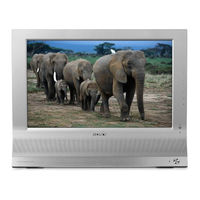
Sony MFM-HT95 Guide De Configuration Rapide (45 pages)
Table des Matières
-
English
1 -
Français
16-
Déballage17
-
Menu Parent21
-
Dépannage27
-
Español
30


