Table des Matières
-
-
-
-
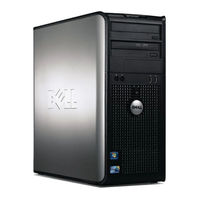
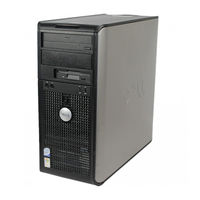
Mini Tower Computer - Front View
8
-
Mini Tower Computer - Back View
10
-
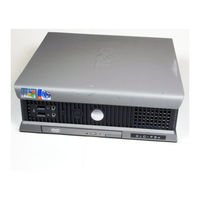
Desktop Computer - Front View
11
-
Desktop Computer - Back View
12
-
Small Form Factor Computer - Front View
13
-
Small Form Factor Computer - Back View
14
-
Mini Tower, Desktop, and Small Form Factor Computers - Back-Panel Connectors
15
-
Ultra-Small Form Factor Computer - Front View
17
-
Ultra-Small Form Factor Computer - Side View
18
-
Ultra-Small Form Factor Computer - Back View
18
-
Removing the Computer Cover
20
-
-
-
-
Small Form Factor Computer
24
-
Ultra-Small Form Factor Computer
25
-
-
-
-
Small Form Factor Computer
28
-
Ultra-Small Form Factor Computer
29
-
Setting up Your Computer
29
-
-
-
-
-
-
Running the Dell™ IDE Hard Drive Diagnostics
40
-
Resolving Software and Hardware Incompatibilities
40
-
Using Microsoft ® Windows ® XP System Restore
40
-
Reinstalling Microsoft ® Windows ® XP
42
-
-
-
-
-
-
-
-
-
-
-
-
-
-
-
-
-
-
-
-
-
-
-
-
-
-
-
-
-
-
-
-
-
-
-
-
-
-
Mini-Tower-Computer - Vorderansicht
107
-
Mini-Tower-Computer - Rückansicht
109
-
Desktop-Computer - Vorderansicht
110
-
Desktop-Computer - Rückansicht
111
-
Small Form Factor-Computer - Vorderansicht
112
-
Small Form Factor-Computer - Rückansicht
113
-
Mini-Tower-, Desktop- und Small Form Factor-Computer - Anschlüsse an der Rückseite
114
-
Ultra Small Form Factor-Computer - Vorderansicht
116
-
Ultra Small Form Factor-Computer - Seitenansicht
117
-
Ultra-Small Form Factor-Computer - Rückansicht
117
-
Abnehmen der Computerabdeckung
119
-
-
-
-
Small Form Factor-Computer
124
-
Ultra Small Form Factor-Computer
126
-
IM Innern des Computers
127
-
-
-
Small Form Factor-Computer
129
-
Ultra Small Form Factor-Computer
130
-
Einrichten des Computers
130
-
-
-
-
-
-
Ausführen des Diagnoseprogramms IDE Hard Drive Diagnostics von Dell
141
-
Lösen von Software- und Hardwareinkompatibilitäten
141
-
Ricerca DI Informazioni
153
-
-
Computer Minitorre - Vista Anteriore
156
-
Computer Minitorre - Vista Posteriore
158
-
Computer Desktop - Vista Anteriore
159
-
Computer Desktop - Vista Posteriore
160
-
Computer con Fattore DI Forma Ridotto - Vista Anteriore
161
-
Computer con Fattore DI Forma Ridotto - Vista Posteriore
163
-
Computer Minitorre, Desktop E con Fattore DI Forma Ridotto - Connettori del Pannello Posteriore
164
-
Computer con Fattore DI Forma Ultraridotto - Vista Anteriore
166
-
Computer con Fattore DI Forma Ultraridotto - Vista Laterale
167
-
Computer con Fattore DI Forma Ultraridotto - Vista Posteriore
167
-
Rimozione del Coperchio del Computer
170
-
Operazioni Preliminari
170
-
-
-
Computer con Fattore DI Forma Ridotto
174
-
Computer con Fattore DI Forma Ultraridotto
175
-
Esplorazione Dell'interno del Computer
176
-
-
-
Computer con Fattore DI Forma Ridotto
178
-
Computer con Fattore DI Forma Ultraridotto
179
-
Installazione del Computer
179
-
Soluzione Dei Problemi
182
-
Diagnostica Della Dell
182
-
Indicatori DI Sistema
185
-
Indicatori Della Diagnostica
186
-
-
Esecuzione del Programma Dell™ IDE Hard Drive Diagnostics
190
-
Risoluzione DI Incompatibilità Software E Hardware
191
-
Uso DI Ripristino Configurazione DI Sistema DI Microsoft ® Windows ® XP
191
-
Reinstallazione DI Microsoft ® Windows ® XP
193
-
Uso del CD Drivers and Utilities
195
-
-
Localización de Información
203
-
-
Ordenador de Minitorre: Vista Posterior
206
-
Ordenador de Minitorre: Vista Posterior
208
-
Ordenador de Sobremesa: Vista Anterior
209
-
Ordenador de Sobremesa: Vista Posterior
210
-
Ordenador de Formato Reducido: Vista Anterior
211
-
Ordenador de Formato Reducido: Vista Posterior
212
-
Ordenadores de Minitorre, Sobremesa y Formato Reducido: Conectores del Panel Posterior
213
-
Ordenador de Formato Ultrareducido: Vista Anterior
215
-
Ordenador de Formato Ultrareducido: Vista Lateral
216
-
Ordenador de Formato Ultrareducido: Vista Posterior
216
-
Cómo Quitar la Cubierta del Ordenador
218
-
-
Ordenador de Minitorre
219
-
Ordenador de Sobremesa
221
-
Ordenador de Formato Reducido
222
-
Ordenador de Formato Ultrareducido
223
-
Interior de Su Ordenador
224
-
Ordenador de Minitorre
224
-
Ordenador de Sobremesa
225
-
Ordenador de Formato Reducido
226
-
Ordenador de Formato Ultrareducido
227
-
Configuración del Ordenador
227
-
Solución de Problemas
230
-
Dell Diagnostics (Diagnósticos Dell)
230
-
Indicadores del Sistema
233
-
Indicadores de Diagnóstico
234
-
-
Ejecución de Los Diagnósticos de Disco Duro IDE de Dell
239
-
Cómo Resolver Incompatibilidades de Software y Hardware
239
-
Cómo Utilizar la Función Restaurar Sistema de Microsoft ® Windows ® XP
239
-
Cómo Volver a Instalar Microsoft ® Windows ® XP
241
-
Utilización del CD Drivers and Utilities (Controladores y Utilidades)
244
-
-
-
-
Mini Tower Bilgisayar - Ön GörünüM
254
-
Mini Tower Bilgisayar - Arkadan Görünüş
256
-
Masaüstü Bilgisayar - Önden Görünüş
257
-
Masaüstü Bilgisayar- Ön GörünüM
258
-
Small Form Factor Bilgisayarı - Ön GörünüM
259
-
Small Form Factor Bilgisayar - Arka GörünüM
260
-
Mini Tower, Masaüstü Ve Small Form Factor Bilgisayarlar - Arka Panel Konektörleri
261
-
Ultra-Small Form Factor Bilgisayar - Ön GörünüM
263
-
Ultra-Small Form Factor Bilgisayar - Yandan Görünüş
264
-
Ultra-Small Form Factor Bilgisayarı - Arka GörünüM
264
-
Bilgisayar Kapağını Çıkarma
266
-
-
Mini Tower Bilgisayar
267
-
-
Small Form Factor Bilgisayar
270
-
Ultra-Small Form Factor Bilgisayar
271
-
-
Mini Tower Bilgisayar
272
-
-
Small Form Factor Bilgisayar
274
-
Ultra-Small Form Factor Bilgisayar
275
-
Bilgisayarınızı Kurma
275
-
-
Dell Diagnostics Programı
278
-
-
-
-
Dell™ IDE Hard Drive Diagnostics Programını Çalıştırma
286
-
YazılıM Ve DonanıM Uyumsuzluklarını Çözme
286
-
Microsoft ® Windows ® XP Sistem Geri Yükleme'yi Kullanma
286
-
Microsoft ® Windows ® Xp'yi Yeniden Yükleme
288
-
Drivers and Utilities CD'sini Kullanma
290
-