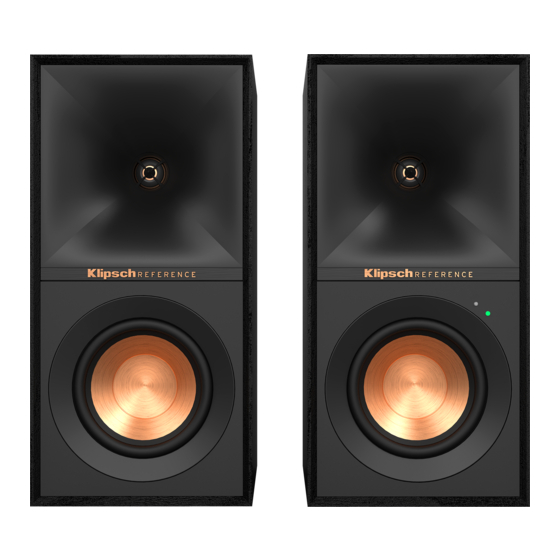
Klipsch R-40PM Mode D'emploi
Table des Matières
Les langues disponibles
Les langues disponibles
Table des Matières

Manuels Connexes pour Klipsch R-40PM


Sommaire des Matières pour Klipsch R-40PM
- Page 1 R-40PM and R-50PM...
- Page 3 PHONO PHONO PHONO Remote Rubber Feet Batteries Main Power Cord Speaker Wire USB Cable (A to B) Digital Optical Cable (R-50PM Only) Remote Rubber Feet Batteries Main Power Cord Speaker Wire USB Cable Digital Optical Cable Télécommande Pieds en caoutchouc Les Piles Cordon d’alimentation principal Fil d’enceinte...
- Page 5 LED Source Indicator Phono/Line Switch Volume/Source Control Phono Inputs Auxiliary 3.5mm Input Indicateur de source à DEL Interrupteur Phono/Ligne Commande Volume/Source Entrées phono Entrée auxiliaire de 3,5 m Indicador LED de fuente Conmutador de tocadiscos y línea Control de volumen y fuente Entradas de tocadiscos Entrada auxiliar de 3.5 mm LED-Quellenanzeige...
-
Page 6: Setup
SETUP INSTALLATION • CONFIGURACIÓN • SETUP • INSTALLAZIONE • INSTALAÇÃO • 设置 • 設定 • التركيب – – LEFT SPEAKER OUT... -
Page 7: Connections - Tv
CONNECTIONS - TV CONNEXIONS – TV • CONEXIONES DEL TELEVISOR • ANSCHLÜSSE – TV • CONNESSIONI – TV • CONEXÕES - TV • 连接 – 电视 • 接続 - TV • التوصيالت - تلفزيون O BIEN O BIEN ODER ODER OPPURE OPPURE 或... -
Page 14: Subwoofer Output
VIOLA = Ingresso phono VERDE = Ingresso ausiliario Devices Devices AZUL = Entrada Bluetooth ® ROXO = Entrada fono VERDE = Entrada auxiliar Klipsch R-40PM LED 源指示灯 Klipsch R-40PM 紫色 = 唱机输入 绿色 = 辅助输入 Not Paired Connected 青色 = Bluetooth® 入力... -
Page 16: Dynamic Bass Eq
DYNAMIC BASS EQ ÉGALISATION DYNAMIQUE DES BASSES • ECUALIZACIÓN DE BAJOS DINÁMICOS • DYNAMISCHER BASS-EQ • EQUALIZZAZIONE DEI BASSI DINAMICA • EQUALIZAÇÃO DINÂMICA DE GRAVES • 动态低音均衡 • 重低音EQ • موازنة ديناميكية للنغمة خفيضة التردد Dynamic Bass EQ applies loudness correction For best results, increase input source volume to automatically adjust low frequency levels to maximum. - Page 17 تعطيل / تمكين الموازنة الديناميكية للنغمة خفيضة التردد Bluetooth Settings Setting Bluetooth Blue ENABLED Hold 3 Seconds Flashes x2 Devices Devi D’ACTIVATION Klipsch R-40PM Klips Not Paired ACTIVAR Appuyer pendant 3 secondes Clignote x2 PHONO PHONO AKTIVIEREN Mantenga oprimido durante 3 segundos Destella x2 ATTIVATA 3 Sekunden gedrückt halten...
-
Page 18: Factory Reset
FACTORY RESET RÉINITIALISATION • RESTABLECIMIENTO DE FÁBRICA • RÜCKSETZUNG AUF WERKSEINSTELLUNG • RIPRISTINO IMPOSTAZIONI DI FABBRICA • RESTABELECIMENTO DAS CONFIGURAÇÕES DE FÁBRICA • 恢复出厂设置 • 工場出荷時設定リセッ ト • إعادة ضبط المصنع Flashes 10 Seconds Select Source to Phono, Analog, Digital or USB Clignote 10 secondes Sélectionner la source Phono, auxiliaire, Optique ou USB Destella 10 segundos... -
Page 19: Disable Auto-Standby
DISABLE AUTO-STANDBY DÉSACTIVER LA VEILLE AUTOMATIQUE • DESHABILITAR AUTO-STANDBY • DEAKTIVIEREN SIE DEN AUTOMATISCHEN STANDBY-MODUS • DISABILITA L’AUTO-STANDBY • DESATIVAR A ESPERA AUTOMÁTICA • 禁用自动待机 • 自動スタンバイを無効化 تعطيل وضع االستعداد التلقائي Select Source to Phono, Analog, Digital or USB Sélectionner la source Phono, auxiliaire, Optique ou USB Seleccionar tocadiscos, auxiliar, Óptica o bien USB Press Quellenwahl auf Phone, AUX, Optische oder USB... -
Page 20: Remote Control Codes
REMOTE CONTROL CODES (FOR UNIVERSAL OR CABLE REMOTES) HEX CODES - SET 3 41609 43915 HEX CODES - SET 1 VOLUME UP 0x A55A 0AF5 DIRECTV 31609 VOLUME UP 0x 856A 9F60 XFINITY 30531 31023 VOLUME DOWN 0x 856A 9E61 VOLUME DOWN 0x A55A 0BF4 BRIGHT HOUSE... -
Page 21: Troubleshooting
For more in-depth information and troubleshooting instructions visit Klipsch.com Pour plus d’informations et des instructions de dépannage détaillées, consultez Klipsch.com Hay información más detallada e instrucciones de detección y reparación de averías en Klipsch.com Detailliertere Anweisungen und Hinweise zur Problembehebung finden Sie unter Klipsch.com Per informazioni più... -
Page 22: Product Registration
Veuillez conserver votre reçu pour toute réclamation au titre de la garantie. serviços cobertos pela garantia. Registrieren Sie Ihr Produkt online unter www.klipsch.com/register Il prodotto può essere registrato on-line sul sito www.klipsch.com/register • Dadurch werden Sie über neue Produkte und • Si riceveranno così informazioni su nuovi prodotti e promozioni. -
Page 25: Weee Notice
Conformity by contacting your dealer, to radio or television reception, which can be spécifications techniques d’Industrie Canada distributor, or Klipsch Group, Inc.’s worldwide determined by turning the equipment off and ont été respectées. headquarters. Contact information can be on, the user is encouraged to try to correct the found here: http://www.klipsch.com/Contact-Us... -
Page 26: Consignes De Sécurité Importantes
CONSIGNES DE SÉCURITÉ IMPORTANTES ! 13. DÉBRANCHER cet appareil en cas d’orage AVERTISSEMENT : Ne pas poser sur ce AVERTISSEMENT : Ne pas recharger les piles 1. LIRE ces consignes. ou lorsqu’il reste inutilisé pendant une produit des sources de flammes nues telles non-rechargeables. -
Page 27: Informations De Conformité Ue Iinformations De Conformité Ue Autorisé
Il est toutefois impos- conforme à la norme NMB-003 du Canada. le siège social mondial du Klipsch Group, dont sible de garantir que des interférences ne se les coordonnées figurent sur le site indiqué... - Page 42 SPANISH - GARANTÍA EN LOS EE.UU. Klipsch Group, Inc, (KGI) warrants to the original retail purchaser that this product is to be free from defective materials Klipsch Group, Inc, (KGI) garantit à l’acheteur original que ce produit sera exempt de tous vices de matériaux et de Klipsch Group, Inc.