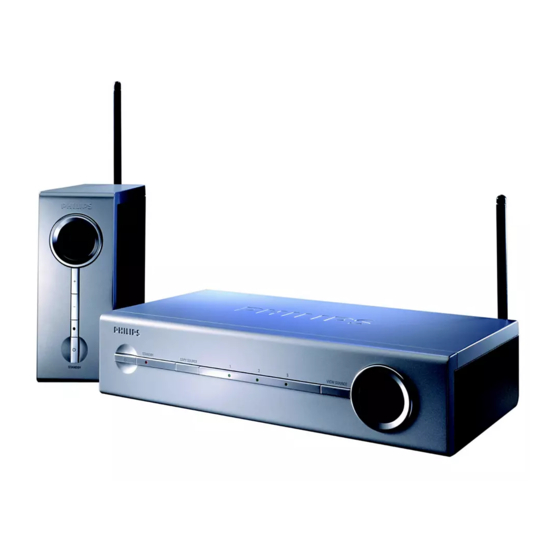
Philips SBC VL1400 Mode D'emploi
Table des Matières
Les langues disponibles
Les langues disponibles
2
2
ENGLISH
Wireless TV Link
SBC VL1400
The Philips Wireless TV Link allows you to distribute any kind of video signal (digital
or analogue set-top boxes, DVDs, satellite receivers, VCRs etc.) or cable
programmes throughout your house without the need for extra wiring, running
cables or drilling holes. This means that you can enjoy the freedom of watching Pay-
TV on your bedroom TV. You can also enjoy a film playing on your living-room
video recorder while others independently watch their favourite programmes on
the main TV.
Besides distributing video signals wirelessly , the Wireless TV Link also functions as a
switch box for your main TV. It is equipped with four SCART input connectors.
These allow you to connect up to four video devices at the same time, so cable
swapping or re-configuring your audio/video set-up is no longer necessary. In
addition, three of the SCART inputs can be linked to the fourth one, which makes
copying your video content very simple.
The universal remote control allows you to control the Wireless TV Link, your
second TV and up to four video sources, regardless of brand. You don't have to
carry around the other remote control units!
The Wireless TV Link is based on wireless RF technology that offers you in-home
convenience. To enable you to enjoy the best possible performance, four
transmission channels are provided so you can select the channel that provides
optimum viewing with the minimum of interference.
Pure wireless home con
Pure wireless home con
Pure wireless home con
Pure wireless home con
Pure wireless home conv v v v v enience!
Safety precautions
Please read this guide carefully and keep it for future reference.
•
Do not use this product in moist places or close to water.
•
Do not expose this product to extreme heat.
•
Do not open this product; in case of technical difficulties bring it to your Philips
retailer.
•
Do not cover this product.
•
Only connect the AC power adapters to a power supply of 220-240 VAC / 50Hz.
•
Only use the AC power adapters included or a type that complies with safety
standard EN60950 and that has the following specification: 12 Volt DC / 500mA.
•
Inadequately protected or sensitive electronic equipment may be affected by the
use of this product. This interference can lead to damage to either equipment.
Please check whether or not surrounding equipment can be affected by this
product before you start using it.
enience!
enience!
enience!
enience!
Keys and functions
Product illustration
A
Transmitter Unit
1
on inside flap:
Power button
switches the transmitter between stand-by and on.
2
Power light
red in stand-by mode, green when power is on, flashes when receiving remote
control commands
3
COPY SOURCE button
links SCART input 1,2,3 or SCART OUT to SCART in/output 4.
4
Copy source indication lights
indicate which SCART input (1,2 or 3) is linked to SCART in/output 4. When
there is no light indication the SCART OUT is linked to SCART in/output 4.
5
VIEW SOURCE button
selects which SCART input (1-4) is viewed on the transmitter SCART output
6
View source indication display
indicates the SCART input number that is viewed on the transmitter output.
7
AUTO light
indicates if automatic SCART switching is enabled (on) or disabled (off).
8
Infra-red remote control blaster lights
transmit infra-red remote control signals from the receiver to the video
source devices below.
9
Transmission channel switch
switches the frequency channel of the audio/video signal to minimize
interference.
10
SCART input (1-4) connectors
connect SCART-enabled video source devices to these connectors
11
SCART output connector
connect to the main TV
12
RCA sound output connector
connect to an audio amplifier
13
DC power input
14
Remote control blaster cord connector
15
Remote control blaster cord
four infra-red lights used instead of the infra-red remote control blaster lights
(A-8) for a more precise control of the video sources.
16
SCART cable
17
Power adapter
18
Remote control antenna
ENGLISH
3
Table des Matières

Manuels Connexes pour Philips SBC VL1400


Sommaire des Matières pour Philips SBC VL1400
-
Page 7: Précautions De Sécurité
: Témoin d’alimentation La liaison TV sans fil Philips vous permet de distribuer n’importe quel signal vidéo rouge en mode stand-by, vert quand l’alimentation est appliquée, clignotant quand il (set top box digital ou analogique, DVD, récepteur satellite, magnétoscope etc.) ou reçoit des commandes à... -
Page 8: Comment Programmer L'émetteur
FRANÇAIS FRANÇAIS Touches et fonctions Comment programmer l’émetteur Illustration produit Récepteur AUDIO sur le rabat Bouton d’alimentation Réglez le sélecteur de canal sur le canal 1. DC 9V intérieur : commute le récepteur entre «stand-by» et «on» Quand le récepteur est allumé ou L’émetteur et le récepteur doivent toujours être réglés sur le même canal. -
Page 9: Comment Vérifier Le Fonctionnement De La Télécommande
Comment vérifier le fonctionnement de la télécommande Comment utiliser la liaison sans fil avec TV2 Allumez TV2 et le récepteur. Visionner et commander les sources vidéo sur TV2 Vérifiez si l’émetteur est aussi allumé. Allumez TV2 Pointez l’unité de télécommande des sources vidéo sur le récepteur et choisissez Il n’est pas nécessaire d’allumer TV1 pour regarder des programmes vidéo sur TV2. -
Page 10: Comment Utiliser Les Fonctions Supplémentaires
Comment utiliser la liaison sans fil avec TV1. Comment utiliser les fonctions supplémentaires Sélection automatique de la source vidéo Mise en liaison des sources vidéo Enfoncez le bouton d’alimentation (A-1) pour régler l’émetteur sur stand-by. Connectez un magnétoscope (ou un lecteur DVD+RW) à l’entrée/sortie PERITEL 4. STANDBY Le témoin d’alimentation (A-2) est rouge;... -
Page 11: Résolution Des Problèmes
Résolution des problèmes Résolution des problèmes Tout d’abord, vérifiez si tous les câbles sont correctement connectés. Problème Solution Problème Solution Pas d’image sur TV2. Vérifiez si les deux unités sont allumées (A-2 et B-20 sont verts). Pas de commande des Pointez soigneusement la télécommande sur le récepteur et vérifiez qu’aucun sources vidéo depuis obstacle ne s’interpose (B-19 doit clignoter). -
Page 12: Remarques Générales
Elle se conforme aux normes définies dans ce cadre. Transmission de • La liaison TV sans fil Philips a une portée utile de 100 mètres en plein air. Les murs, télécommandes les plafonds et autres objets importants peuvent réduire cette portée utile à ± 30 Antennes: Intégrées...