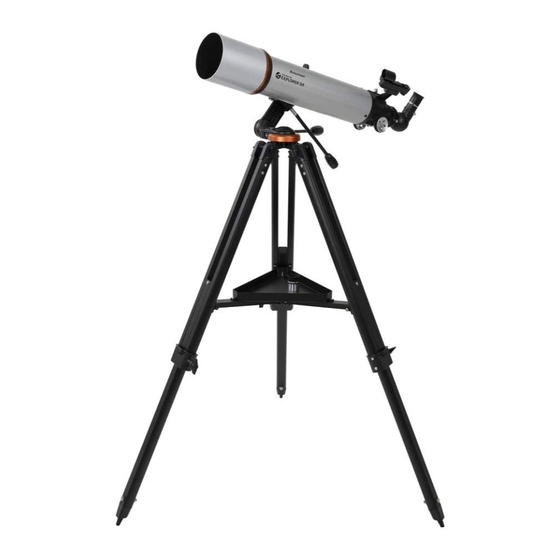
Celestron StarSense EXPLORER DX 102AZ Guide D'installation Rapide
Table des Matières
Les langues disponibles
Les langues disponibles
Quick Setup Guide
ENGLISH
5
To attach the slow-motion knobs
first locate the supplied hex key hidden inside the
slot in the front of your mount.
8
Slide the dovetail bar into the clamp at the top of
the mount and tighten the hand knob on the bottom
of the clamp to secure the telescope in place.
1
102AZ
Unpack your telescope and verify that all parts are
ITEM #22460
present. Your StarSense Explorer DX includes:
a telescope tube, a tripod and mount head, an
accessory bag, slow motion controls, an accessory
tray, two eyepieces, an erect image diagonal, a
finderscope, a StarSense phone dock, StarSense
Explorer app code card, and a hex key (hidden inside
the slot in the front of the mount head).
3
Extend the legs of the tripod by loosening the three
hand knobs on each leg. Pull each leg section all
the way out and tighten the hand knobs to secure
them in place.
6
Place the slow-motion control knob over the
to your mount,
D-shaped gear shaft and push inward to make sure
it is fully seated. Use the hex key to tighten the
setscrews onto the gear shaft. Return the hex key to
its storage position in the front of the mount.
9
Locate the erect image diagonal and remove the
plastic covers. Insert the barrel of the diagonal into
the focuser and secure in place by tightening the set
screws.
2
To set up the tripod, spread the legs outward until
they are fully extended and push down the center leg
brace.
4
Place the accessory tray on top of the center brace
and line up the three holes. Insert the three thumb
screws through the bottom of the leg brace and
thread them into the tray.
7
Hold the telescope tube next to the mount with the
dovetail bar on the tube facing the clamp on the top
of the mount arm.
10
Insert the barrel of the 25 mm eyepiece into the
diagonal and tighten the set screw.
ENGLISH | 1
Table des Matières

Manuels Connexes pour Celestron StarSense EXPLORER DX 102AZ


Sommaire des Matières pour Celestron StarSense EXPLORER DX 102AZ
- Page 5 102AZ Guide d’installation rapide Déballez votre télescope, et vérifiez que toutes les Pour installer le trépied, écartez les pieds vers ARTICLE #22460 FRANÇAIS pièces sont présentes. Votre StarSense Explorer DX l’extérieur jusqu’à ce qu’ils soient complètement comprend: un tube de télescope, un trépied avec étendus et appuyez sur l’entretoise centrale.
- Page 6 Une fois que vous avez téléchargé l’application, téléchargez l’application StarSense Explorer sur votre munissez-vous de la carte orange présente dans appareil mobile. Recherchez « Celestron StarSense la boîte de votre télescope. Lancez l’application. Explorer » dans l’Apple App Store ou Google Play.
-
Page 7: Orienter Le Télescope
Orienter le télescope La monture StarSense Explorer DX dispose de Pour affiner l’orientation, ou suivre des objets célestes, freins de mouvement sur chaque axe. Pour effectuer faites tourner chacune des molettes de mouvement de larges mouvements avec le télescope, tenez ralenti comme désiré. -
Page 8: Votre Première Nuit D'observation
Pour en savoir plus sur ce produit, visitez la page correspondante du produit sur celestron.com. AVERTISSEMENT SUR LE SOLEIL: N’essayez jamais d’observer le soleil à l’aide d’un télescope sans utiliser un filtre solaire adéquat. Besoin d'assistance? www.celestron.com/pages/warranty Prenez contact avec l’assistance technique de Celestron à l’adresse celestron.com/pages/technical-support 08-19 8 | FRANÇAIS...