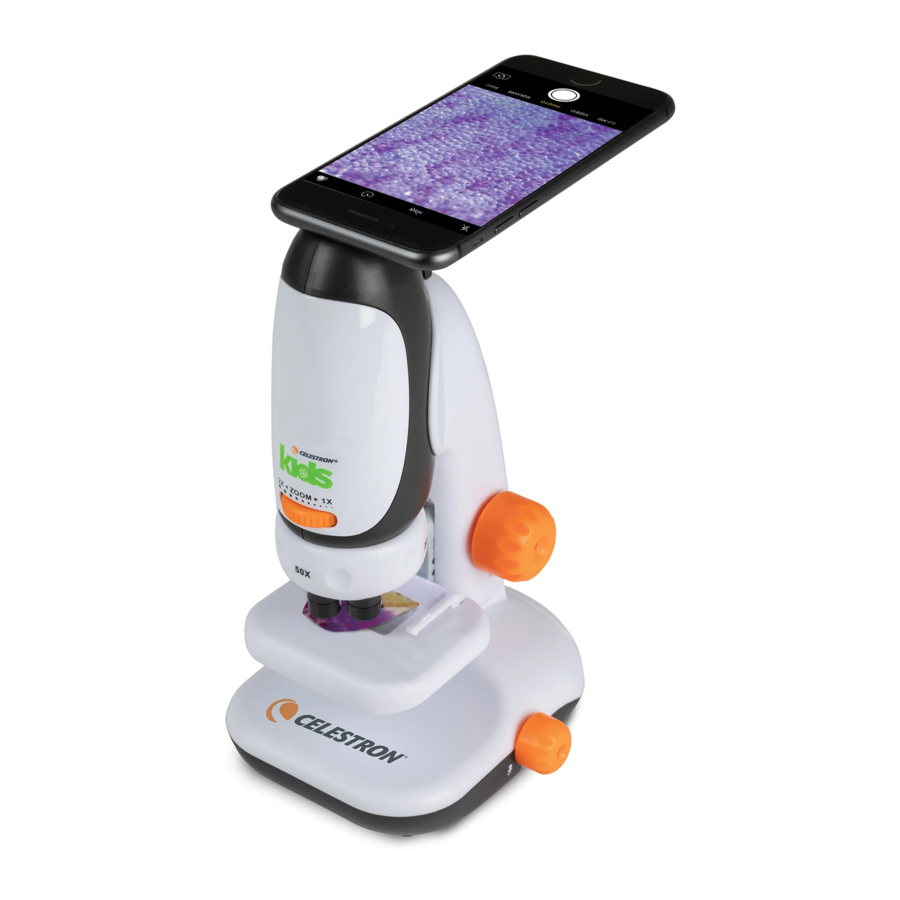
Celestron 44119 Guide De Configuration Rapide
Table des Matières
Les langues disponibles
Les langues disponibles
Liens rapides
Microscope
with Smartphone Adapter
1
2
3
4
5
6
7
8
15
16
17
1. Eyepiece / Adapter Slot
2. Handheld Microscope
3. Zoom Dial
4. Turret
5. Objective Lens
6. Transmissive LED Cover
7. Specimen Stage
8. Microscope Base
9. Microscope Arm
10. Focusing Dial
Installing the Battery
1. Open the Battery Compartment Door at the bottom of the
Microscope Base (8) by lifting it up while pressing the
Compartment Door Latch in the direction shown in the following
diagram.
2. Install 3 fresh AA batteries with their positive (+) and negative (-)
poles correctly positioned.
3. Replace the Battery Compartment Door. The microscope is now
ready for use. Be sure to remove the batteries before storing the
Microscope for any length of time.
QUICK
SET-UP
G U I D E
ENGLISH
#44119
18
20
19
11. Refl ective LED Light
12. Specimen Slide Clips
13. Mini Storage Drawer
14. LED On/Off Switch
15. Smartphone Adapter
16. Dropper
17. Tweezers
18. 6 Blank specimen slide covers
19. 3 Blank specimen slides
20. Prepared slide with cotton
swatch
Using the Microscope
1. Place the Specimen Slide on the Specimen Stage (7) and secure
with the Specimen Slide Clips (12).
2. Turn the Turret (4) to the desired magnifi cation. (We recommend
starting with 50x and increasing the magnifi cation as needed.)
9
10
11
12
13
Illumination
14
1. Turn the LED ON/OFF Switch (14) to the right to turn on the
Transmissive LED to illuminate transparent specimens.
2. Turn the LED ON/OFF Switch to the middle to turn off all LEDs
3. Turn the LED ON/OFF Switch to the left to turn on the Refl ective
LED (11) to illuminate non-transparent specimens.
ILLUMINATION FROM BELOW
LED OFF
ILLUMINATION FROM ABOVE
Table des Matières

Manuels Connexes pour Celestron 44119


Sommaire des Matières pour Celestron 44119
- Page 3 Utilisation du microscope #44119 1. Placez la lame de spécimen sur la platine de spécimen (7) et sécurisez-la à l’aide des valets de lame de spécimen (12). 2. Faites tourner la tourelle (4) sur la puissance de grossissement désirée.
-
Page 4: Caractéristiques Techniques
à la potence pour l’empêcher de glisser et d’endommager le téléphone © 2020 Celestron • Tous droits réservés • celestron.com/pages/technical-support intelligent. N’utilisez pas le téléphone intelligent si la potence 2835 Columbia Street • Torrance, CA 90503 É.-U. • Fabriqué en Chine • Ce produit est conçu et du microscope est autrement qu’en position haute.