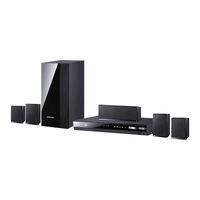
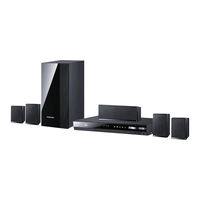
Home-cinéma
Table des Matières
Table des Matières
-
-
-
-
Important Safety Instructions
3
-
Disc Storage & Management
3
-
-
-
-
-
-
-
Disk and Format Compatibility
7
-
-
Logos of Discs the Product Can Play
8
-
-
-
-
-
Tour of the Remote Control
13
-
Setting the Remote Control
14
-
-
Connecting the Speakers
15
-
-
Installing the Speakers on the Tallboy Stand
16
-
Connecting the Speakers
17
-
Connecting the FM Antenna
18
-
Connecting to an Ipod/Iphone
18
-
Attaching the Toroidal Ferrite Core to the Power Cord of the Main Unit
18
-
-
-
Method 1 Connecting to a TV with an HDMI Cable - Best Quality
19
-
Method 2 Connecting to a TV with a Video Cable - Good Quality
19
-
Connecting to External Devices
20
-
Method 1 aux in : Connecting an
20
-
Method 2 OPTICAL : Connecting an External Digital Audio Component
20
-
Connecting to a Network Router
21
-
-
-
-
The Initial Settings Procedure
22
-
-
-
Accessing the Settings Screen
24
-
Buttons on the Remote Control Used for the Settings Menu
24
-
Settings Menu Functions
25
-
-
Networks and the Internet
29
-
Configuring Your Network Connection
29
-
-
-
-
-
The Allshare Play Screen
34
-
Playing Files on a USB Storage Device or Ipod/Iphone
35
-
Ipod/Iphone Models You Can Use with this Product
35
-
-
Playing Commercial Video Discs
36
-
Playing Commercial Audio Discs
36
-
Playing a Disc with User Recorded
37
-
Using the Allshare Network Function
37
-
To Download the Allshare Software
37
-
Controlling Video Playback
39
-
-
Controlling Music Playback
41
-
Repeating Tracks on an Audio CD
41
-
Shuffling Tracks on an Audio CD
41
-
-
Playing Photo Contents
42
-
Using the Tools Menu When a File Is Highlighted
43
-
-
Using the Special Effects Remote Control Buttons
45
-
-
-
-
-
-
Additional Information
49
-
-
Digital Output Selection
53
-
-
-
Contact SAMSUNG WORLD WIDE
60
-
-
-
-
-
-
-
-
-
-
-
-
-
-
-
-
-
-
-
-
-
-
-
-
-
-
-
-
-
-
-
-
-
-
-
-
-
-
-
-
-
-
-
-
-
-
-
-
-
-
-
-
-
-
-
-
-
-
-
-
-
-
-
-
-
-
-
-
-
-
-
-
-
-
-
-
-
-
-
-
-
-
-
-
-
-
-
-
-
-
-
-
-