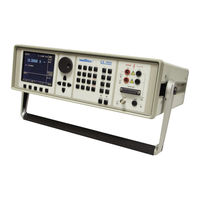
Calibrateur Multifonctions
Table des Matières
-
-
-
-
-
-
-
-
-
-
-
-
-
-
-
-
-
-
-
-
-
-
-
-
-
-
-
-
-
-
-
-
-
-
-
-
-
-
-
-
-
-
-
-
-
-
-
-
-
-
-
-
-
-
-
-
-
-
-
-
-
-
-
-
-
-
-
-
-
-
-
-
-
-
-
-
-
-
-
-
-
-
-
-
-
-
-
-
-
-
-
-
-
-
-
-
-
-
-
-
-
-
-
-
-
-
-
Preparation for Operation
97
-
Inspecting Package Contents, Selecting the Installation Location
97
-
-
-
-
-
Description of Controls
99
-
-
-
Control of the Calibrator
106
-
Selection of Function
106
-
Setting the Value of Output Signal
106
-
Setting Relative Deviation
108
-
Change of Value by Factor of Ten
109
-
Connection / Disconnection of Output Terminals
109
-
Setting the Frequency
110
-
Generation of Calibrated Voltage
111
-
Generation of Calibrated Current
113
-
Generation of Non-Harmonic Shapes
114
-
Simulation of Resistance and Capacitance
115
-
Generation of Electric Power and Energy
118
-
-
Generation of Frequency
123
-
Simulation of Temperature Sensors
126
-
-
-
-
Setting the Measurement Range
131
-
-
Use of Calculation Formula
133
-
Setting Function Parameters
133
-
-
-
Simultaneous Functions
136
-
-
-
Execution of Test Program
138
-
-
Setting the Type of Signals and the Number of Steps
140
-
Setting the Numeric Values of the Test
140
-
-
-
-
Calibrator's Maintenance
147
-
-
Performance Verification Test
149
-
-
-
IEEE-488 Bus Properties
157
-
-
-
-
Calibration of Measurement Instruments
163
-
-
Counters and Oscilloscopes
165
-
-
Voltage, Current and Frequency
166
-
Measurement of Resistance or Temperature Using Resistance Temperature Sensors
167
-
Measurement of Temperature Using Thermocouples
168
-
Strain Gauge Sensors for Non-Electrical Values
168
-
Testing of Regulation and Measurement Sets and Evaluation Units
170
-
Use of Opt. 140-41 Cable Adapter
170
-
Use of Option 40/60 Cable Adapter
171
-
-
-
-
-
-