Funkwerk FC4 Ex Manuels
Manuels et Guides d'utilisation pour Funkwerk FC4 Ex. Nous avons 1 Funkwerk FC4 Ex manuel disponible en téléchargement PDF gratuit: Manuel D'utilisation
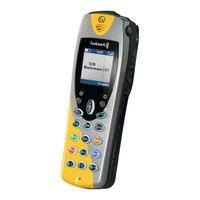
Funkwerk FC4 Ex Manuel D'utilisation (242 pages)
Marque: Funkwerk
|
Catégorie: Téléphones
| Taille: 4 MB
Table des Matières
-
German
3-
Sicherheitshinweise17
-
Allgemeine Sicherheitshinweise für alle Geräteausführungen17
-
Zulassung und EG-Konformität17
-
Schutz vor einer Gefährdung Ihres Gehörs18
-
Schutz vor der Beeinflussung Elektronischer Körperhilfsmittel18
-
Schutz des Business Handsets vor Eingriffen und Umwelteinflüssen19
-
Schutz anderer Geräte vor Funktionsstörungen durch das Business Handset19
-
Umgang mit den Akkus, Versand, Lagerung, Akkuwechsel20
-
Pflegehinweise für Lithium-Ionen-Akkus21
-
Umgang mit den Ladegeräten21
-
Endverbraucherinformation zur Umweltgerechten Entsorgung von Altgeräten und Aufgebrauchten Akkus22
-
Einleitung24
-
Übersicht über die Handsets FC4 (L) / FC4 (L) Ex (HS)24
-
Inhalt dieser Bedienungsanleitung26
-
Lieferumfang eines Sets26
-
Wo Sie Ihr Business Handset Benutzen können27
-
Tipps zum Aufstellort28
-
Hinweise zum Betrieb28
-
Emission von Funksignalen28
-
Schreibweisen und Hinweise in dieser Anleitung29
-
Menünamen, Texteinträge, Anzeigen29
-
Verweise auf Abschnitte und auf Überschriften29
-
Hinweis auf eine Zusatzinformation29
-
Hinweis auf einen Tipp30
-
Inbetriebnahme31
-
Wenn Ihr Business Handset noch nicht Montiert ist31
-
Wenn Ihr Business Handset Schon Komplett Montiert ist31
-
Menüauswahl32
-
Display und Softkeys32
-
Aufruf des Hauptmenüs32
-
Menü-Schnellauswahl aus dem Hauptmenü32
-
Shortcuts zur Menüauswahl aus dem Hauptmenü33
-
Alternativer weg zur Menüauswahl aus dem Hauptmenü33
-
Auswahl von Untermenüs aus Weiteren Menüebenen34
-
Display35
-
Die Zeilen IM Display35
-
Grundregeln für die Bedienung40
-
Handset Einschalten40
-
Handset Ausschalten40
-
Linker und Rechter Softkey40
-
Zifferntasten41
-
Farbige Zifferntasten41
-
Selector41
-
Doppelt Belegte Tasten42
-
In den Grundzustand Wechseln42
-
Tastatursperre mit Tastenfolge Einschalten42
-
Tastatursperre Aufheben42
-
Automatische Tastatursperre43
-
Hörerlautstärke während eines Gespräches Vorübergehend Ändern43
-
Die Telefonfunktionen45
-
Telefonieren wie Gewohnt45
-
Anrufen, Blockwahl45
-
Anrufen aus dem Telefonbuch46
-
Anrufen aus dem Telefonbuch, Schnellzugriff46
-
Anrufen aus den Listen Wahlwiederholung , Verpasste oder Angenommene Anrufe47
-
Gespräch Beenden48
-
Einen Anruf Annehmen48
-
Akustische Anrufsignalisierung Unterdrücken (Schnellzugriff)49
-
Einen Anruf Abweisen49
-
Gespräche Laut Hören, Mikrofon Ausschalten50
-
Freisprechfunktion Ein- und Ausschalten50
-
Mikrofon Aus- und Einschalten (Mute ein / Aus)50
-
Einen Notruf mit der Notruftaste Auslösen52
-
Notruf Auslösen52
-
Das Leistungsmerkmal Lagealarm Einsetzen53
-
Weitere Leistungsmerkmale54
-
Einträge IM Telefonbuch Vornehmen54
-
Einen Manuellen Eintrag Vornehmen54
-
Einen Eintrag aus einer der Telefon-Listen Übernehmen54
-
Einen Bestehenden Eintrag IM Telefonbuch Bearbeiten54
-
Funktionen als Telefonbucheintrag Einrichten54
-
Die Integral 5-Telefonfunktionen55
-
Die GAP-Telefonfunktionen56
-
Intern mit einem anderen Handset der Privaten GAP-Basisstation56
-
Telefonieren56
-
Das Handset Konfigurieren58
-
Liste der Einstellungen und Extras58
-
Messaging61
-
Nachricht Empfangen62
-
Rufton Ausstellen62
-
Nachricht aus dem Display Löschen62
-
Nachricht Endgültig Löschen62
-
Manuell Bestätigen62
-
Nachrichten- und Anruflisten63
-
Weitere Messaging-Leistungsmerkmale66
-
Nachricht Senden66
-
Festtext Senden66
-
Festtext Senden mit Nachgewählten Ziffern66
-
Direktruf Senden66
-
Technische Daten und Zubehör67
-
Business Handsets FC4 / FC4 L67
-
Explosionsgeschützte Ausführungen69
-
Übersicht über Änderungen und Ergänzungen zu den Explosions- Geschützten Geräteausführungen FC4 (L) Ex und FC4 (L) Ex HS69
-
Ex - Sicherheitshinweise71
-
EG-Baumusterprüfbescheinigung für die Explosionsgeschützten71
-
Geräteausführungen71
-
Benutzung von Geräten in Explosionsgefährdeten Bereichen72
-
Gefährdungsgrad in Explosionsgefährdeten Bereichen72
-
Akkus für Explosionsgeschützte Geräte72
-
Akkus Wechseln72
-
Akkus Aufladen73
-
Verwendung von Tragetaschen bei Ex-Geräten mit und ohne Klipp73
-
Arbeiten am Explosionsgeschützten Gerät74
-
Wiederinbetriebnahme nach einem Eingriff in das Gerät74
-
Beschädigte Geräte74
-
Erlöschen der Ex-Betriebserlaubnis75
-
Verwendung des Headsets in Explosionsgefährdeten Bereichen75
-
Service-Adapter-Anschluss75
-
Betriebsanweisung des Anlagen-Betreibers76
-
Ex - Inbetriebnahme77
-
Ex - Technische Daten und Zubehör78
-
Handsets FC4 (L) Ex / FC4 (L) Ex HS78
-
Pflege, Wartung, Umgebung81
-
Pflege81
-
Wartung81
-
Umgebungsbedingungen81
-
Anhang82
-
Menüstruktur82
-
English
89-
Gewährleistung / Kundendienst89
-
Impressum90
-
Safety Information91
-
General Safety Information for All Unit Versions91
-
Approval and EC Conformity91
-
Protection against Endangering of Your Hearing92
-
Protection against the Influence of Electronic Body Aids92
-
Protection of Business Handset against Intervention and Environmental Influences93
-
Protection of Other Units against Malfunctions Caused by the Business Handset93
-
Handling Batteries, Dispatch, Storage, Battery Replacement94
-
Care Information for Lithium Ion Batteries95
-
Handling of Chargers95
-
End User Information on the Environmentally Friendly Disposal of Old Units and Empty Batteries96
-
Introduction98
-
Front View of the Handsets FC4 (L) / FC4 (L) Ex (HS)98
-
Content of Present Operating Manual100
-
Shipping Package of One Set100
-
Where to Use Your Business Handset101
-
Advice on the Place of Installation102
-
Information for Operation102
-
Emission of Radio Signals102
-
Conventions and Information Used in this Manual103
-
Menu Names, Text Entries, Displays103
-
References to Sections and to Headings103
-
Hint for an Additional Information103
-
Hint for a Tip103
-
Putting into Operation104
-
If Your Business Handset Has Not yet Been Assembled104
-
If Your Business Handset Comes Completely Assembled104
-
Menu Selection105
-
Display and Softkeys105
-
Calling up the Main Menu105
-
Quick Menu Selection from the Main Menu105
-
Shortcuts for Menu Selection from the Main Menu106
-
Alternative Way for Menu Selection from the Main Menu106
-
Selection of Sub-Menus from Other Menu Levels107
-
Display108
-
Display Sections, Display Lines108
-
Basic Rules for Operation113
-
Switching on the Business Handset113
-
Switching off the Business Handset113
-
Left and Right Softkey113
-
Number Keys114
-
Coloured Number Keys114
-
Selector114
-
Double-Assignment Keys115
-
Changing to the Basic Condition115
-
Activating the Key Lock with a Key Sequence115
-
Deactivating the Key Lock115
-
Automatic Keyboard Lock116
-
Changing the Earpiece Volume Temporarily During a Conversation116
-
The Telephone Features118
-
Making Phone Calls as Usual118
-
Calling (Block Dialling)118
-
Calling from the Phonebook119
-
Calling from the Phonebook, Quick Access119
-
Calling from the Redial, Missed or Answered Calls Lists120
-
Terminate the Conversation121
-
Answering a Call121
-
Disable Acoustic Call Signalling (Quick Access)122
-
Rejecting a Call122
-
Open Listening, Switching the Microphone off123
-
Activating / Deactivating the Handsfree Talking Function123
-
Switching the Microphone Off/On (Mute On/Off)123
-
Releasing an Emergency Call with the Emergency Call Button125
-
Releasing an Emergency Call125
-
Using the Positon Alarm126
-
More Features127
-
Making a Phonebook Entry127
-
Making an Entry Manually127
-
Transferring an Entry from One of the Call Lists127
-
Editing an Existing Entry in the Phonebook127
-
Setting up Functions as a Phonebook Entry127
-
The Integral 5 Telephone Functions128
-
The GAP Telephone Functions129
-
Making Phone Calls to Another Internal Handset of Your Private GAP Base Station129
-
Configuring the Handset131
-
Survey at Settings and Extras131
-
Messaging134
-
Receiving a Message135
-
Switching off the Ring Tone135
-
Deleting the Message from the Display135
-
Deleting the Message Definitively135
-
Manual Acknowledgement135
-
Message Lists and Call Lists136
-
More Messaging Features139
-
Transmitting a Message139
-
Transmitting a Fixed Text139
-
Transmitting a Fixed Text with Added Digits139
-
Transmitting a Direct Call139
-
Technical Data / Accessories140
-
Business Handsets FC4 / FC4 L140
-
Explosion-Proof Versions142
-
Overview of Changes and Supplements to the Explosion-Proof Unit Versions FC4 (L) Ex and FC4 (L) Ex HS142
-
Ex - Safety Information144
-
EC Prototype Test Certificate for the Explosion-Proof Unit Versions144
-
Use of Units in Potentially Explosive Atmospheres145
-
Hazard Degree in Potentially Explosive Atmospheres145
-
Rechargeable Batteries for Explosion-Proof Units145
-
Replacing the Batteries145
-
Charging the Batteries146
-
Use of Bags for Explosion-Proof Units with and Without a Clip146
-
Working on the Explosion-Proof Unit147
-
Putting the Unit Back into Operation after Interventions147
-
Damaged Units147
-
Expiry of Explosion Protection Operating Permit (Ex Certificate)148
-
Use of Headset in Potentially Explosive Atmospheres148
-
Service Adapter Socket148
-
Working Instructions of Company Operating the System149
-
Ex - Putting into Operation150
-
Ex - Technical Data / Accessories151
-
Handsets FC4 (L) Ex / FC4 (L) Ex HS151
-
Care, Maintenance, Ambient Conditions154
-
Care154
-
Maintenance154
-
Ambient Conditions154
-
Annex155
-
Menu Structure155
-
-
French
162-
Warranty / Service162
-
Imprint163
-
Introduction172
-
Mise en Service179
-
Choix des Menus180
-
Ecran183
-
Sélecteur189
-
SÉLECTEUR le Pre194
-
Prendre un Appel196
-
Refuser un Appel197
-
Messagerie210
-
Acquit Manuel211
-
Accessoires219
-
Entretien231
-
Maintenance231
-
Annexe232
-
Ours240
-

