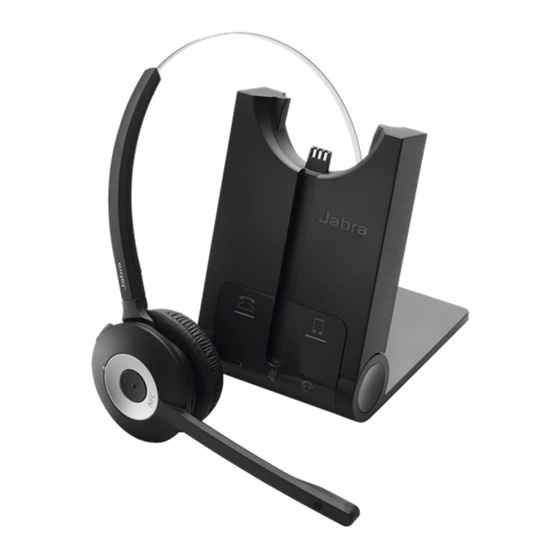
Jabra PRO 930 Guide Rapide
Masquer les pouces
Voir aussi pour PRO 930:
- Guide rapide ,
- Guide de démarrage rapide (34 pages) ,
- Mode d'emploi (24 pages)
Les langues disponibles
Les langues disponibles
Jabra PRO
930
™
© 2011 GN Netcom A/S. All rights reserved. Jabra
is a registered
®
trademark of GN Netcom A/S. All other trademarks included
herein are the property of their respective owners.
(Design and specifications subject to change without notice).
MADE IN CHINA
Type: WHB003
MЛ05
Quick Start Guide
DESIGN REGISTRATION PENDING INTERNATIONAL
REGISTER YOUR JABRA AT JABRA.COM/REGISTER – FOR NEWS, SUPPORT AND COMPETITIONS
www.jabra.com
www.jabra.com

Manuels Connexes pour Jabra PRO 930


Sommaire des Matières pour Jabra PRO 930
- Page 7 MICRO-CASQUE JABRA PRO 930 BASE DU JABRA PRO 930 Icône Événement Batterie en charge (clignotement lent) Bouton multifonction Batterie chargée Batterie faible Bouton d’augmentation Bras articulé du microphone du volume Batterie très faible Bouton Muet (clignotement rapide) État de la batterie inconnu Bouton de réduction...
-
Page 8: Configuration
ÉTAPE 2 : OUVERTURE DE LA BASE ÉTAPE 1 : FIXATION DU SERRE-TÊTE Le support de la base Jabra PRO possède trois positions : ouverte, fermée et entrouverte. 1. Alignez le micro-casque et la fixation de port d’oreillette du serre-tête, comme l’indique l’illustration, et pressez CLIC doucement sur les deux éléments jusqu’à... -
Page 9: Étape 5 : Connexion À L'ordinateur
USB disponible de l’ordinateur. 3. Installez la suite Jabra PC Suite à partir du CD fourni. IMPORTANT Définissez le Jabra PRO 930 en tant que haut-parleur et microphone dans les paramètres audio du logiciel de téléphonie. VOUS AVEZ MAINTENANT CORRECTEMENT CONNECTÉ VOTRE JABRA PRO 930.