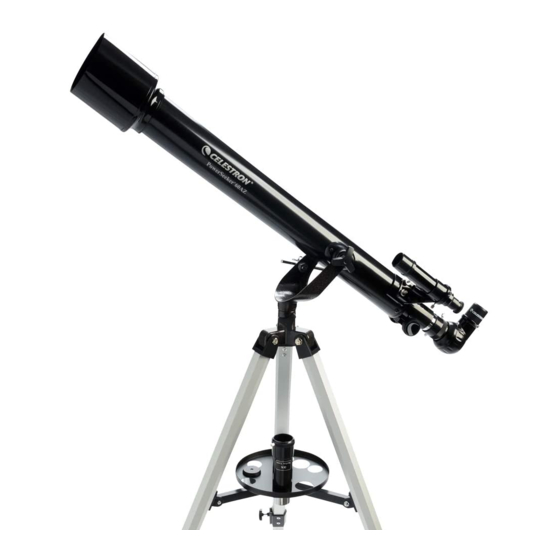
Celestron POWERSEEKER 60AZ Guide D'installation Rapide
Masquer les pouces
Voir aussi pour POWERSEEKER 60AZ:
- Guide de l'utilisateur (126 pages) ,
- Manuel de l'utilisateur
Table des Matières
Les langues disponibles
Les langues disponibles
Q U I C K S E T U P G U I D E
E N G L I S H
1
1
Unpack your telescope and verify that all parts are present. Your
PowerSeeker 60AZ includes: an optical tube with two threaded
mounting bolts, a tripod with center support bracket, two eyepieces,
a 3x Barlow lens, a fi nderscope, an erect image diagonal, and an
eyepiece accessory tray.
4
Check to ensure that all three legs are the same height once
extended to provide a level platform for the telescope.
7
Locate the optical tube and insert the attached slow motion control
rod into the hole on the mount.
60AZ
#21041
2
To set up the tripod, spread the legs outward until they are fully
extended and push down center leg brace.
5
5
Place the eyepiece accessory tray on top of the tripod's center leg
brace. Thread the tray into the threaded hole in the center of the leg
brace until it is fully seated.
8
Line up the tube with the holes on the mount and secure the tube
to the mount using the two threaded mounting bolts. Tighten to
secure in place.
3
Extend the center portion of each of the three tripod legs down about
6 to 12 inches. Use the tightening screw on each leg to secure the
extended leg in place.
6
If necessary, rotate the accessory tray counterclockwise until
the accessory holes are not covered by the leg brace arms as
shown here.
9
Remove the knurled nuts on the threaded posts at the focuser end
of the telescope tube.
E NG LISH | 1
Table des Matières

Manuels Connexes pour Celestron POWERSEEKER 60AZ


Sommaire des Matières pour Celestron POWERSEEKER 60AZ
- Page 5 Pour installer le trépied, écartez les pieds vers l’extérieur jusqu’à ce Étendez la portion centrale de chacun des trois pieds du trépied sur présentes. Votre PowerSeeker 60AZ est livré avec : un tube optique qu’ils soient complètement étendus et abaissez l’entretoise centrale.
-
Page 6: Besoin D'assistance
à l’aide d’un télescope sans utiliser un filtre solaire adéquat. BESOIN D'ASSISTANCE? Contactez le support technique de Celestron Ensuite, insérez le barillet de l’oculaire de 20 mm dans la lentille de celestron.com/pages/technical-support Barlow et serrez les vis de fixation pour le maintenir en place. -
Page 7: Chercheur
ALIGNER LE CHERCHEUR Le chercheur est l’un des composants les importants de votre télescope. Il vous Le chercheur est l’un des composants les importants de votre télescope. Il vous aide à localiser des objets et à les centrer dans votre oculaire. La première fois que aide à... - Page 8 L'appli SkyPortal gratuite de Celestron, disponible pour iOS et Android, peut vous aider à identifi er une grande variété d'objets célestes, rapidement et aisément.