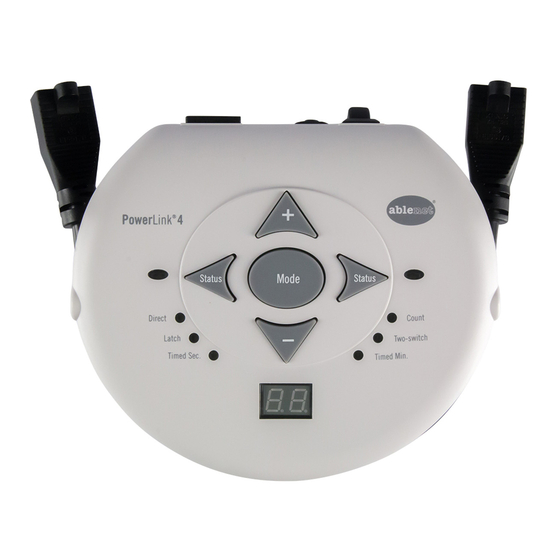
AbleNet PowerLink 4 Guide De Démarrage Rapide
Masquer les pouces
Voir aussi pour PowerLink 4:
- Manuel de l'utilisateur (8 pages) ,
- Mode d'emploi (40 pages) ,
- Mode d'emploi (32 pages)
Les langues disponibles
Les langues disponibles
QUICK START GUIDE
PowerLink
4
®
power control unit
WARRANTY
AbleNet manufactured products include a 2-year limited
warranty. This warranty is against defects in materials and
manufacturing for 2-years from the date of purchase. Full
warranty details available at www.ablenetinc.com.
AbleNet, Inc.
2625 Patton Road
Roseville, MN 55113
United States of America
(651) 294-3101
ablecare@ablenetinc.com
www.ablenetinc.com
Made with recycled content
EN June 18, 2021 1:58 PM
Product
1
Registration
Registering your product provides you
access to ableCARE, product updates,
and resources for your product. Scan the
QR code below to register your product.
Getting
2
Started
Scan the QR code below to watch a
short getting started video or follow
the instructions listed.
To get started:
1.
Plug the PowerLink into any AC wall
outlet with the cord provided and
turn the device on.
2. Plug appliance(s) to either power
cable on the side of the PowerLink
and turn the appliance(s) on.
3. Test your AC power connection by
pressing the appropriate test button.
The attached appliance should
activate.
4. Attach any corded, single switch(es)
to the corresponding switch jack(s).
5. Press the mode button until the
"direct" mode LED lights up.
6. Press and hold switch(es) to activate
their corresponding appliances.
Release to turn off.
This device can do more! Full Instructions
for Use are available at
www.ablenetinc.com.
Download the ableCARE app to access
live support from the ableCARE Product
Success team, an online knowledge base
filled with videos and getting started
information, and other resources.
Scan the QR code below to download
the free ableCARE app to your phone or
tablet.
Table des Matières

Manuels Connexes pour AbleNet PowerLink 4


Sommaire des Matières pour AbleNet PowerLink 4
-
Page 3: Mise En Route
Balayez le code QR ci-dessous pour GARANTIE cordon sur la prise de contacteur télécharger gratuitement l’application Les produits fabriqués par AbleNet sont fournis avec une correspondante. ableCARE sur votre mobile ou votre tablette. garantie limitée de deux (2) ans. Cette garantie est applicable Appuyez sur le bouton Mode jusqu’à... -
Page 4: Vue D'ensemble De L'appareil
Vue d’ensemble Commutateur Marche/Arrêt Entrée d’alimentation (On/Off) de l’appareil Câble d’alimentation (style en fonction de la région) Câble d’alimentation (style en fonction de la région) Voyant de signal Voyant de signal Prise de contacteur Prise de contacteur DEL de mode Direct Bouton de mode...