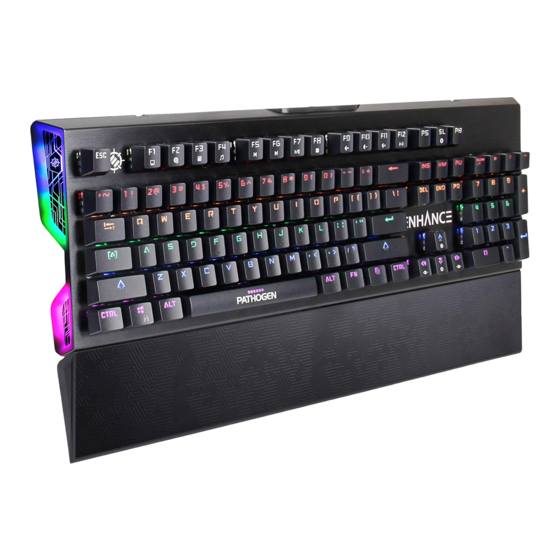
ENHANCE PATHOGEN Guide De L'utilisateur
Masquer les pouces
Voir aussi pour PATHOGEN:
- Guide de l'utilisateur (16 pages) ,
- Guide de l'utilisateur (24 pages)
Les langues disponibles
Les langues disponibles
USER GUIDE • GUIDE DE L'UTILISATEUR
PATHOGEN
Optical Gaming Keyboard
™
REGISTER NOW
ENREGISTRER
This product comes with a 1 year limited warranty.
Register this product within 30 days of sale to activate a complimentary
2 year warranty extension and receive free advanced technical support.
Learn more and register now.
Ce produit a une garantie limitée de 1 an.
Enregistrez ce produit dans les 30 jours suivant son achat pour activer
l'extension de garantie de 2 ans et bénéficer de notre service après-
vente gratuit. Pour en savoir plus, enregistrez ce produit dès à présent.
ENHANCEgaming.com/warranty
Table des Matières

Manuels Connexes pour ENHANCE PATHOGEN


Sommaire des Matières pour ENHANCE PATHOGEN
- Page 4 Need help with this product? Besoin d’assistance sur ce produit? ¿Necesita ayuda con este producto? Benötigen Sie Hilfe bei diesem Produkt? Hai bisogno di aiuto per questo prodotto? 购买的产品,是否需要提供协助? ENHANCEgaming.com/support PRODUCT COMFORT NOTICE NOTICE DE CONFORT Long period of repetitive motion using this product may be associated with nerve, tendon, or muscle injury in your hands, wrists, arms, shoulders, neck, or back.
- Page 5 PATHOGEN ™ OPTICAL GAMING KEYBOARD...
- Page 6 Product diagram Schéma du produit Diagrama de product Producktabbildung Schema del prodotto 产品图...
- Page 7 Function keys Touches Fonction Teclas de función USB cable Câble USB Cable USB Switch puller Extracteur de touches Extractor de interruptores Windows key Touche Windows Tecla de Windows Wrist rest Repose-poignet Reposamuñecas FN (function) key Touche FN (Fonction) Tecla FN (función) Illuminated side panels Panneaux latéraux clairés Paneles laterales iluminados...
- Page 10 Mode d’emploi Combinaison de touches Fonction FN + F1 Ordinateur FN + F2 Accueil Internet FN + F3 Calculatrice FN + F4 Lecteur multimédia ON /OFF FN + F5 Piste précédente FN + F6 Piste suivante FN + F7 Lecture/Pause FN + F8 Stop FN + F9...
-
Page 11: Remarque Importante
Mode jeu de programmation Le mode “Jeu” permet à l’utilisateur de définir quelles touches sont éclairées. Maintenez la touche FN enfoncée et appuyez sur la touche SL (verrouillage du défilement) jusqu’à ce que vous arriviez en mode jeu. Le mode jeu peut être identifié par l’ é clairage des touches WASD (fléchées). Appuyez sur FN + INS pour faire défiler les 6 modes de jeu. - Page 20 Product specifications Spécifications du produit Especificaciones del producto Produktspezifikationen Specifiche del prodotto 产品规格 Keys: 104 Touches : 104 Optical switch: Jixian blue Touche optique: bleu Jixian LED type: Rainbow Type de LED: arc-en-ciel Key rollover: NKRO (all keys) Key rollover: NKRO (toutes les touches) Anti-ghosting: Yes Anti fantôme: oui Power input: 5V ⎓...