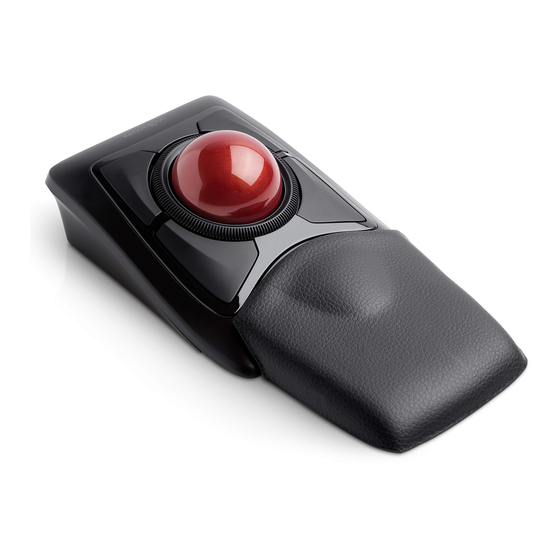
Kensington Expert Mouse Guide De Démarrage Rapide
Masquer les pouces
Voir aussi pour Expert Mouse:
- Mode d'emploi (26 pages) ,
- Guide de démarrage rapide (21 pages) ,
- Guide de démarrage rapide (10 pages)

Manuels Connexes pour Kensington Expert Mouse


Sommaire des Matières pour Kensington Expert Mouse
- Page 2 Windows 7 or later Mac OS X 10.11 or later ® ® www.software.kensington.com TrackballWorks ™...
- Page 4 Windows 8 or later Windows ® Click the Bluetooth tray icon , then click Add a Bluetooth Device. / Cliquez sur l’icône Bluetooth , dans la barre des tâches, puis cliquez sur Ajouter un périphérique Bluetooth. / Klicken Sie in der Taskleiste auf das Bluetooth-Symbol und dann auf Bluetooth-Gerät hinzufügen.
- Page 5 À l’écran, recherchez Expert Wireless TB, puis cliquez sur Jumeler. / Suchen Sie auf dem Bildschirm die Angabe Expert Wireless TB und klicken Sie auf Koppeln. / Zoek op het scherm naar Expert Wireless TB (Kensington Expert draadloze trackball) en klik vervolgens op koppelen. / Cercare Expert Wireless TB sullo schermo, quindi fare clic su Pair (Associa).
- Page 6 3 ii Mac OS X 10.8 ~ or later ® Open System Preferences , then click the Bluetooth icon Ouvrez les Préférences système , puis cliquez sur l’icône Bluetooth Öffnen Sie die Systemeinstellungen und klicken Sie auf das Bluetooth-Symbol Open Systeemvoorkeuren en klik op het Bluetooth-pictogram Aprire Preferenze di sistema e fare clic sull’icona del Bluetooth...
- Page 7 À l’écran, recherchez Expert Wireless TB, puis cliquez sur Jumeler. / Suchen Sie auf dem Bildschirm die Angabe Expert Wireless TB und klicken Sie auf Koppeln. / Zoek op het scherm naar Expert Wireless TB (Kensington Expert draadloze trackball) en klik vervolgens op koppelen. / Cercare Expert Wireless TB sullo schermo, quindi fare clic su Pair (Associa).
- Page 8 Customizable with TrackballWorks Software / Personnalisable avec le logiciel TrackballWorks / Anpassbar mit der TrackballWorks-Software / Aanpasbaar met TrackballWorks-software / Personalizzabile con il software TrackballWorks / Personalizable con el software TrackballWorks / A TrackballWorks szoftver testreszabása / Přizpůsobitelnost pomocí softwaru TrackballWork / Personalizowane za pomocą...
- Page 9 To configure the TrackballWork Software: Windows®: Look for the TrackballWorks Tray icon , then click to open the configuration menu. Follow on screen directions. Mac OS®: Click the Apple icon on top left corner of the screen and then “System Preferences”, then look for the TrackballWorks icon , double-click and follow on-screen instructions to configure the trackball.
-
Page 14: Avertissement Concernant La Santé
Pour des résultats optimaux, assurez-vous de régulièrement nettoyer votre trackball. CAUTION: Ne vaporisez jamais un liquide détergeant directement sur le trackball. Assistance technique Une assistance technique est disponible pour tous les utilisateurs de produits Kensington enregistrés. Assistance Web Il se peut que vous trouviez une solution à votre problème dans la Foire aux questions (FAQ) de la zone Assistance du site Web de Kensington : www.support.kensington.com. - Page 15 DECLARATION DE CONFORMITE DE LA CE Kensington déclare que ce modèle de produit sans fil est conforme aux impératifs et autres dispositions pertinentes de la directive R&TTE (1995/5/CE) et des autres directives applicables de la Communauté européenne.