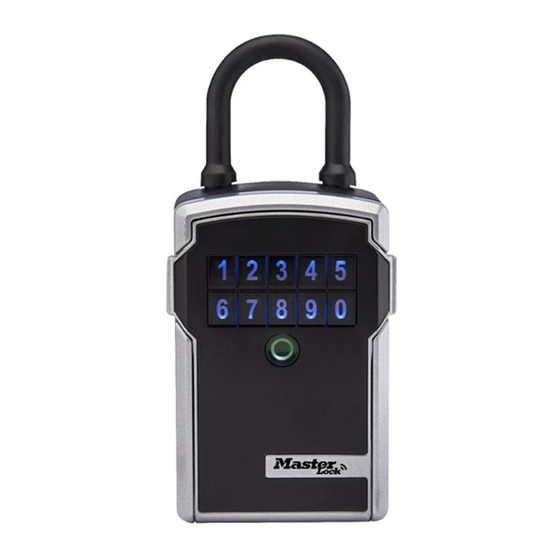
Master Lock 5440ENT Instructions
Les langues disponibles
Les langues disponibles
QR CODE
DEVICE ID
RÉFÉRENCE
DEL APPAREL
CODEQR
CODIGO QR
IDENTIFICADOR DEL DISPOSITIVO
QUICK START - UNLOCK WITH MOBILE DEVICE
1.Remove lock box and instructions from package.
2.Onyour Android or iOS mobiledevice,visit the appstore to downloadthe MasterLockVault
Enterprise app. Before you launch the app, you must first set up an account, or have an existing
account in order to add a new product.
App Store
MASTER
LOCK
vat-JLT
GET
IT ON
Google Play
NTERPRISE
f you do not have an existing Master Lock Vault Enterprise account, you must create one at
www.enterprise.masterlockvault.com
ii.
f you already have an existing account, please proceed to step 3
3
Launch the Master Lock Vault Enterprise app and sign in
4
In the Master Lock Vault Enterprise app, touch the plus sign (+) in the upper-right corner.
5. Scan the QR Code, from the gray box located above, on your mobile device to register the lock
box. Onceyour lock box is registered,it will display in the Authorizedtab insidethe app Touch
the name of the lock box to access the lock box details, manage additional settings, and view
the access history
6. By default, your lock box is in WakeTouchmode. Tounlock the lock box, press anybutton on
the keypad to wake it The lock box will now appear under the Awake tab in the app. Touch the
blue key icon
to unlock the lock box. When the light turns green, open within 5 seconds or
it will relock. The green light means the door can now be opened by pulling on it.
QUICK START - REMOVE SHACKLE
I Once you have downloaded the Master Lock Vault Enterprise app and registered your lock box,
pressanybutton on the lock box keypadto wakeyour lock box Thelock boxwill now appear
under the Awake tab in the app. To remove the shackle, open the lock box details page by
tapping the lock box name and then touch the Remove Shackle button Your lock box will light
green,andyou canthen removethe shacklewithin 5 seconds
2 To remove the shackle using the lock box keypad:
i. Press the Clear button and first digit of your primary code, from the black box above,
simultaneously(Seeillustrationi)
ii. Releasethe Clear button and first digit, then enter the rest of the primary code.
iii When the light turns green, remove the shackle within 5 seconds or it will relock
BATTERY INSTRUCTIONS
- HOW TO REPLACE BATTERY
I Low battery will be indicated through an email notification, the app, or by a yellow light on the
ock box
2. Unlock and open the lock box door.
3 Using a Flat Headscrew driver, open the battery compartment door and remove the battery
4. Installa new CR123A battery,makingsureto positionthe batterywith positiveand negativesides
facing the proper direction as indicated on the door and battery compartment (See il ustration 4)
5 Close the battery door and tighten the screw
Federa
l
Communications
Commission N otice: This device complies w ithPart15oftheFCC RulesOperation i s subject to thefolOving
undesiredoperat'on Changesor modificationsmadeto this equipmentnot expresslyapprovedbythe pan,'responsiblefor compliancecould voidthe user'sauthorivto operate the equipment
Industry Canada Notice: Thisdevice complies
Industry C anadas l icense-exempt
operationof thedevice
Mastæ,
5440ENT/5441ENT
Instructions/lnstructions/lnstrucciones
To get started, and for additional information, visit:
Pour commencer, et pour plus dlinformations, visitez :
Paracomenzar, y paraver informaciånadicional,visite:
www.enterprise.masterlockvault.com
conditions: (1)thisdevice may notcause harmfuinterference, and(2)thisdevice mustaccept anyinterference received, including ' ntefferencethat may cause
RSS standard(s). Operation i ssubject to thefolowing
conditlons: (1)thisdevice rnaynotcause interference, and(2)this
ACTIVATION CODE
CODED ACTIVATION
CÖDIGO DEACTIVACION
PRIMARY CODE
CODE PRIMAIRE
CÖDIGOPRINCIPAL
QUICK START - UNLOCK WITH LOCK BOX KEYPAD
1 Remove lock box and instructions from the package
2 Enterthe PrimaryCode,locatedin the black boxabove,intothe lock box keypad
(Note:Donot pull on the door whenenteringthe codeand do not pressthe Clearbutton
(Seeillustration2). Enteringthe PrimaryCodewill erasetheTry Mecode.)
3 When lock box light turns green, open within 5 seconds or it will relock.
0
1
2
3
4
6
7
8
9
Note:Pressingthe Clearbutton erasesall input and restartstheprocess.
O
I
2
3
4
6
7
8
9
Note: Pressing the Clear button erases all input and restarts the process.
BATTERY INSTRUCTIONS
- HOW TO UNLOCK WHEN THE BATTERY IS COMPLETELY DRAINED
I If the battery drains while the lock box door is closed, you can jump it using an external
9-volt battery.
2 Locate the battery jump contacts on the bottom of the lock box (See illustration 2)
3 Holda new9-volt batteryunderneath the lock boxwith the positive(+) and negative(-) terminals
pressedagainstthe jump contacts(Seeil ustration3), in the orientationindicatedon the bottom
of the lock box (See illustration 2)
4 While holding the battery in place, and with an authorized mobile device within range of the lock
box in Wake Touch mode, press any keypad button on the lock box. The lock box will now appear
under the Awake tab in the app. Touch the blue key icon
does not unlock, or an authorized mobile device is not available, enter the Primary Code on the
lock box keypad,while holdingthe 9-volt batteryin place.
5 When lock box is opened, install a new CR123A battery.
Note: After installing a new battery, the low battery icon will no longer display in the app after the
lock box and app communicate with each other. However, it will take between 2 and 24 hours for the
yellow LED to stop displaying on the lock itself.
must a cceptany i nterference including i nterference M maycause undesired
5
Clear button
5
Clear button
to unlock the box. If the lock box
o
jump contacts

Manuels Connexes pour Master Lock 5440ENT


Sommaire des Matières pour Master Lock 5440ENT
- Page 1 IT ON Google Play NTERPRISE f you do not have an existing Master Lock Vault Enterprise account, you must create one at www.enterprise.masterlockvault.com f you already have an existing account, please proceed to step 3 Clear button Launch the Master Lock Vault Enterprise app and sign in In the Master Lock Vault Enterprise app, touch the plus sign (+) in the upper-right corner.
- Page 2 Los cambiosy n uliticacicres hemos aeste e wipo que nosealaproba:los exnicitamente Xirlagarte 0 2018 Master Lock Company LLC dd cumßinniento n ormatiux) pcdrimanularlaautorizaciå-n tel usuario parauperarelequipo Milwaukee, Wisconsin53210 U S.A Xisode ndustryCanada. Este dispcsitjvocumplecnn hsnorrnasdeRSSexentode t enrÅade ndustryCanada S uoperac6n estå sujetaahssiguientesdosoondiciones (1)estedispositivonodebecausarinterferencias, y(2)este dispcsfrvo debeac4tar clßlquérinterterencø...