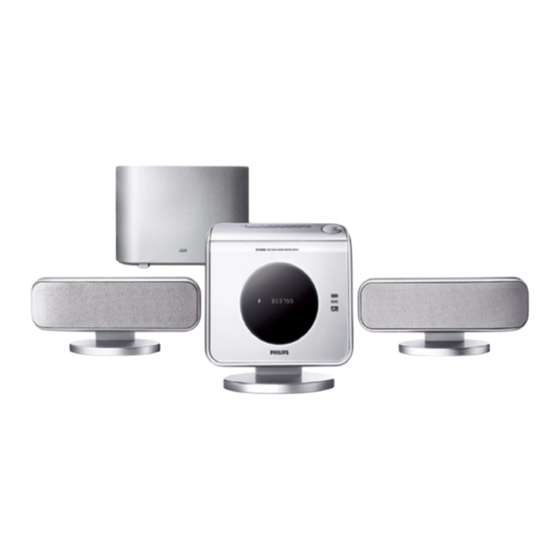
Philips HTS8000S Guide D'utilisation Rapide
Masquer les pouces
Voir aussi pour HTS8000S:
- Guide d'utilisation rapide (17 pages) ,
- Guide de démarrage rapide (17 pages) ,
- Manuel d'utilisation (45 pages)
Les langues disponibles
Les langues disponibles
Liens rapides
QUICK USE GUIDE
1
what's in the box
A
HTS8000S DVD system, AV Subwoofer,
SonoWave Speakers
C
D
Junction Box
VGA cable
(use this cable to connect
the Junction Box to
AV subwoofer)
F
G
Bracket
Bracket
(for mounting the main
(for mounting the
SonoWave Speakers on
DVD system on the wall)
the wall)
(2x)
3
connect main DVD system, AV subwoofer, Junction Box and
SonoWave Speakers
3a
Place the FM antenna on
the wall where the
reception is best.
3f
Connect the
power cords
to the AC
power outlet.
Pull up the AV subwoofer's
feet and rotate outwards.
All manuals and user guides at all-guides.com
B
Remote control
SUBWOOFER
E
Power cord
(use this cable to connect
the AV subwoofer to the
AC power outlet)
H
I
Screws and
velcro strips,
wall plugs
rubber feet
(for secure the bracket
(velcro strips to fix the
on the wall)
Junction Box and rubber
feet for AV subwoofer)
(4x)
(2x)
3b
Connect the Interconnect
cable to the Junction Box.
3d
Use the VGA cable to
connect the Junction Box
with the AV subwoofer.
3e
Connect the SonoWave
speakers to the AV
subwoofer. (refer to next
page for "Speaker system
setting")
12nc: 3139 115 23641
2
placement
Note:
For optimum sound performance, the SonoWave
speakers must be placed at the equal distance from
the TV, at the height of ear level and faced straight
ahead towards the listening area.
Ensure that this
portion is fully
inserted into the jack.
FRONT L
HTS8000S
TV
OUT
IN
VIDEO
AUDIO
3c
Connect the
audio/video cables to
TV (the Audio cables
must be connected
to the AUDIO
Output on the TV.)
FRONT R

Manuels Connexes pour Philips HTS8000S


Sommaire des Matières pour Philips HTS8000S
- Page 3 Français OBTENIR DU SON contenu de l’emballage Le système de haut-parleurs SonoWave ne restitue pas Lecteur de DVD HTS8000S, caisson de basses AV, système de haut- de son Surround ? parleurs SonoWave Appuyez sur la touche SURR pour sélectionner “Multi-Channel”.