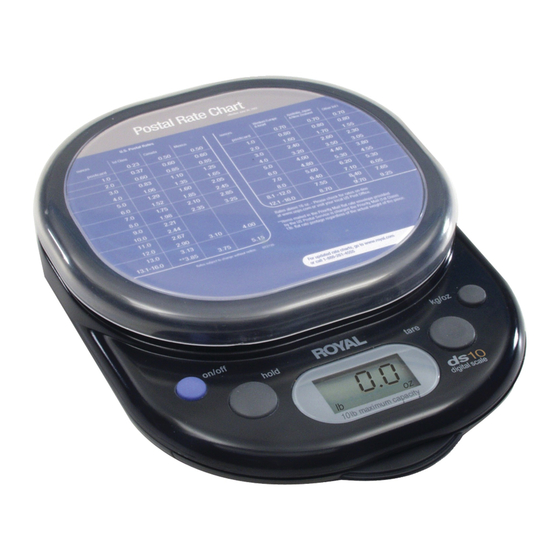
Royal ds-3 Directives
Pèse-lettres
Table des Matières
Les langues disponibles
Les langues disponibles
Liens rapides
INTRODUCTION
C
ongratulations on the purchase of your new Royal ds-Series Digital Postal Scale. We recommend that you
read this manual carefully to become familiar with the operation of the product. The manual explains, in simple
steps, how to operate and maintain your new scale. Please retain this guide for further reference.
If you have questions regarding the scale, please call Royal Customer Support at 1-800-272-6229 (in Canada
call 1-888-266-9380 and in Mexico call 01-800-849-4826); or visit Royal's web site at http://www.royal.com.
The ds-Series Scales are designed for weighing letters and small parcels. They are great in the kitchen, too;
perfect for measuring ingredients used in your favorite recipes or for weighing foods for portion control when
dieting. The scales are also ideal around the house for hobbies, like models, and countless other uses.
Please note that the weight and postal rates provided are for reference and informational purposes only. It is not
intended that the weight and/or postal rates be used or relied upon for any commercial use. Postal rates are also
subject to change at any time without notice.
WARNING: To prevent damage, do NOT exceed the specified weight capacity of the scale.
Do NOT lift or pick-up the scale by holding the weighing platform. The scale should be picked-up from the bottom
or the base of the scale.
BASIC OPERATION
1) Ensure that the scale is placed on a hard, flat, level surface.
2) Press the on/off button. Do not place anything on the scale platform before the unit is turned on or while it
is initializing. The scale will show dashes across the display for 10 to 20-seconds while it is initializing.
Wait for the dashes to disappear and for "0.0" to appear on the display. The scale is then ready for
weighing.
3) Place the letter/parcel or item on the scale; the weight is displayed within a couple of seconds.
If the unit displays dashes or does not show zero at any other time during the unit's operation while there is
nothing on the scale platform, press the tare key to reset the scale to zero and wait until "0.0" appears on the
display. The scale can then be used.
The "LOW BATTERY" icon will turn on at the bottom of the display when the battery power is low. Replace
the one 9-volt battery as soon as possible.
AUTO POWER OFF
The unit automatically turns itself off after a period of 30 seconds of inactivity. To restart the scale, simply
press the on/off button.
POSTAL SCALE INSTRUCTIONS
ds-3 / ds-5 / ds-10 Digital Postal Scales
Table des Matières

Sommaire des Matières pour Royal ds-3
-
Page 9: Directives Pour Le Pèse-Lettres
Veuillez le conserver afin de pouvoir le consulter ultérieurement. Si vous avez des questions concernant ce pèse-lettres, veuillez appeler le Service à la clientèle Royal au 1-800- 272-6229 (au Canada, composez le 1-888-266-9380 et au Mexique le 01-800-849-4826), ou visitez notre site Web à... -
Page 10: Unité De Mesure
UNITÉ DE MESURE • Appuyez sur le bouton kg/oz pour défiler parmi les différentes unités de mesure. Le pèse-lettres peut afficher le poids en unités anglo-saxonnes ou métriques : livres et onces (0lb 0.0oz), onces uniquement (0.0oz) ou kilogrammes/grammes (0g.). L’unité... -
Page 11: Grille Tarifaire Postale
COMMANDE DE GRILLES TARIFAIRES DE RECHANGE Pour commander une grille de rechange ou une grille mise à jour, veuillez appeler le service de fournitures en composant sans frais le 1-888-261-4555 ou en visitant le site Web de Royal à http://www.royal.com GRILLES TARIFAIRES AUX ÉTATS-UNIS... -
Page 12: Garantie, Enregistrement Et Soutien Technique
Sont exclus de la présente garantie les ajustements, pièces et/ou réparations exigés en raison d’un événement indépendant de la volonté de Royal, dont un incendie, un sinistre, un accident, une négligence, un abus, une utilisation incorrecte ou anormale, ou des dégâts consécutifs à...