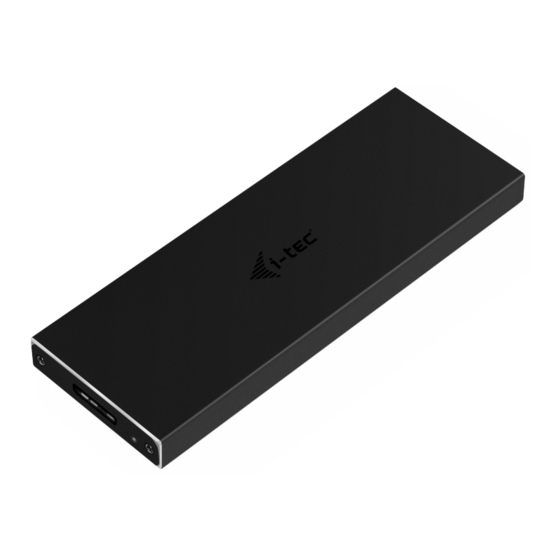
i-tec MYSAFEM2 Mode D'emploi

Manuels Connexes pour i-tec MYSAFEM2


Sommaire des Matières pour i-tec MYSAFEM2
- Page 2 Leggere attentamente tutto il Libretto d’uso. Il Libretto d’uso è a disposizione anche sulla scheda “Manuali e strumenti” del nostro sito web: www.i-tec.cz/it/. In caso di problemi rivolgersi al supporto tecnico: support@itecproduct.com...
-
Page 12: Exigences En Matière Du Système
Quick Start / MySafe USB 3.0 M.2 SSD External Case SPÉCIFICATION • Boîtier externe USB 3.0 pour les disques M.2 B-Key SATA Based SSD • L’interface de transmission : 1x USB 3.0 • Compatible avec les disques M.2 B-Key SATA Based SSD de la taille 2230, 2242, 2260, 2280 •... -
Page 13: Comment Installer Le Logiciel
Quick Start / MySafe USB 3.0 M.2 SSD External Case 2. Aussitôt après, il est nécessaire de faire sortir la carte mère. 3. Ensuite, veuillez insérer votre disque M.2 de telle manière que la fente découpée, qui se trouve à votre disque, corresponde à la découpure qui se trouve sur le connecteur M.2, s’il vous plaît. -
Page 14: Comment Formater Votre Nouveau Disque Hdd
Quick Start / MySafe USB 3.0 M.2 SSD External Case COMMENT FORMATER VOTRE NOUVEAU DISQUE HDD 1. Avec le bouton-poussoir à droite, veuillez cliquer sur « Mon ordinateur », s’il vous plaît. 2. Veuillez choisir « Gérer », s’il vous plaît. 3. -
Page 15: Contenu De L'emballage
• Pour procéder à une réclamation du dispositif qui ne fonctionne pas conformément au présent Guide d’instructions et mode d’emploi. RÉPONSES AUX QUESTIONS FRÉQUEMMENT POSÉES À votre disposition sur notre page web www.i-tec.cz/fr, où se trouvent sous l’onglet de « FAQ » qui correspondent au respectif produit. -
Page 37: English
Quick Start / MySafe USB 3.0 M.2 SSD External Case EUROPEAN UNION ONLY NOTE: MARKING IS IN COMPLIANCE WITH EU WEEE DIRECTIVE ENGLISH This equipment is marked with the above recycling symbol. It means that at the end of the life of the equipment you must dispose of it separately at an appropriate collection point and not place it in the normal domestic unsorted waste stream. - Page 40 / deklaruje, że produkt / šiuo pareiškia, kad gaminys / verklaart hierbij dat het product Product, Bezeichnung, Le prénom, Producto, Prodotto, Název, Názov, Nazwa, Gaminys, Naam: i-tec MYSAFE M.2 External Case USB 3.0 for M.2 SATA based SSD (NGFF) Model, Modell, Modèle, Modelo, Modello, Model, Model, Model, Modelis, Model:...
- Page 41 a jako příslušenství do počítačů. Výrobok je určený pre prístrojové vybavenie a jako príslušenstvo do počítačov. Produkt jest przeznaczony do współpracy komputerem jako akcesorium. Gaminys skirtas įrangai papildyti ir naudojamas kaip priedas kompiuteriams. Het product is bedoeld als uitrusting voor apparaten en als computeraccessoire. Meets the essential requirements according to / Es entspricht den Anforderungen der Richtlinien / Répond aux exigences essentielles selon / Cumple...
- Page 42 Additional information, Ergänzende Angaben, Information additionnelle, Información Adicional, Informazioni integrative, Doplňující informace, Doplňujúce informácie, Dodatkowe informacje, Papildoma informacija, Aanvullende informatie: Identification Mark, Identifikationskennzeichen, La marque d'identification, Marca de identificación, Segno di identificazione, Identifikační značka, Identifikačná značka, Znak identyfikacyjny, Identifikavimo ženklas, Identificatiemerk: Ing.
- Page 44 www.i-tec.cz/en...