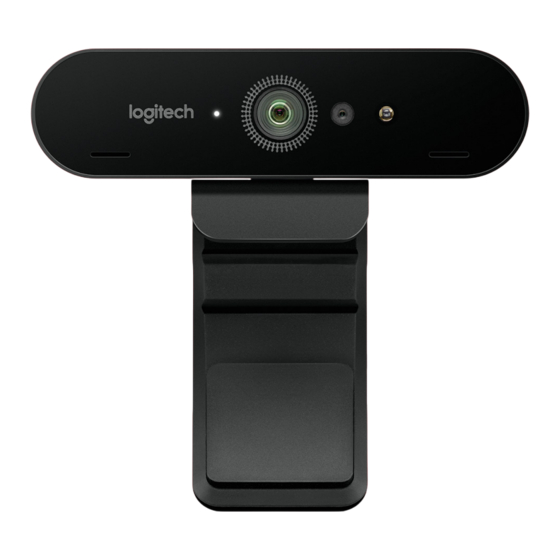
Logitech BRIO Guide D'installation
Masquer les pouces
Voir aussi pour BRIO:
- Manuel de l'utilisateur ,
- Guide d'installation (11 pages) ,
- Guide de référence (2 pages)
Table des Matières
Les langues disponibles
Les langues disponibles
Table des Matières
Dépannage

Manuels Connexes pour Logitech BRIO


Sommaire des Matières pour Logitech BRIO
- Page 2 ENGLISH FRANÇAIS ESPAÑOL PORTUGUÊS...
-
Page 6: Fonctionnalités
FONCTIONNALITÉS Lentille champ de vision 90 degrés Témoin lumineux lecture vidéo Capteur IR Témoin lumineux IR Micros Volet de protection Clip détachable Câble détachable (USB 2.0 ou 3.0) Compatible type C Étui de transport Français... -
Page 7: Configuration Du Produit
CONFIGURATION DU PRODUIT Montez votre caméra sur un écran LCD ou un trépied. Connectez le câble à la caméra et à l’ordinateur. Patientez quelques secondes en attendant que la caméra s’affiche dans le système d’exploitation. Remarque: USB 3.0 requis pour 4K. Effectuez votre appel vidéo ou audio à... -
Page 8: Paramètres De La Caméra Et Personnalisation De L'arrière-Plan
échéant) d’informations et accéder aux téléchargements. CONSEILS DE DÉPANNAGE Pour obtenir des conseils de dépannage, des informations sur les outils logiciels ainsi qu’un outil de diagnostic facilitant le dépannage de votre dispositif Brio, rendez-vous sur le site ww.logitech.com/support/brio. Français... - Page 15 © 2017 Logitech. Logitech, Logi and other Logitech marks are owned by Logitech and may be registered. All other trademarks are the property of their respective owners. Microsoft, Windows Vista, Windows, and the Windows logo are trademarks of the Microsoft group of companies. Logitech assumes no responsibility for any errors that may appear in this manual.