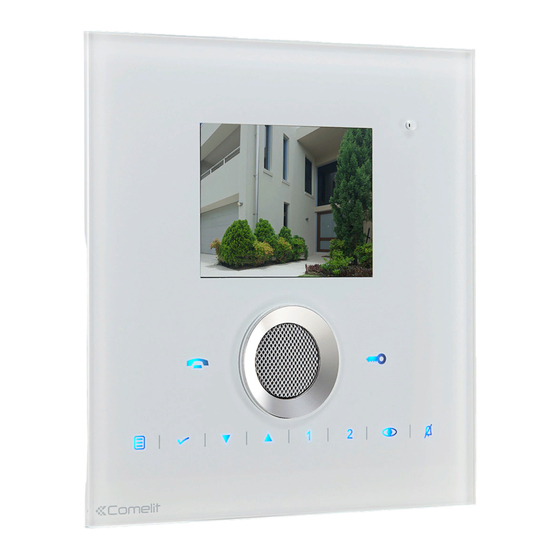
Comelit Planux Lux Manuel D'utilisation
Les langues disponibles
Liens rapides
Manuale utente posto interno Planux Lux
User manual for internal unit Planux Lux
Manuel d'utilisation poste intérieur Planux Lux
Gebruikshandleiding Planux Lux-binnentoestel
Benutzerhandbuch Innensprechstelle Planux Lux
Manual de uso de la unidad interna Planux Lux
Manual técnico do posto interno Planux Lux
www.comelitgroup.com

Manuels Connexes pour Comelit Planux Lux


Sommaire des Matières pour Comelit Planux Lux
- Page 1 Manuale utente posto interno Planux Lux User manual for internal unit Planux Lux Manuel d'utilisation poste intérieur Planux Lux Gebruikshandleiding Planux Lux-binnentoestel Benutzerhandbuch Innensprechstelle Planux Lux Manual de uso de la unidad interna Planux Lux Manual técnico do posto interno Planux Lux www.comelitgroup.com...
- Page 2 Realizzato a regola d’arte e conforme alle norme di legge. Grazie per aver scelto Comelit! Congratulations, You have purchased a quality state of the art Comelit product. That complies with all EC legal regulations and standards. Thank you for choosing Comelit! Félicitations!
- Page 16 AVERTISSEMENTS Comelit Group S.pA. décline toute responsabilité en cas de mauvais usage des appareils, pour des modifi cations effectuées par d’autres personnes pour n’importe quelle raison et pour l’utilisation d’accessoires et matériaux non d’origine. Attention ! Afi n de réduire le risque de pannes et les électrocutions : •...
- Page 17 UTILISATION DU MANUEL Les différents passages pour utiliser et BLOCAGE CLAVIER programmer moniteur Planux sont illustrés dans le manuel. Les différentes ANNULER pages seront structurées de la manière CONFIRMER suivante : PAGE VISUALISÉE MENU UTILISÉ TOUCHES À APPUYER LINGUE fonction Blocage Touches ITALIANO...
- Page 18 Réglage image Réglage Volumes PLANUX PLANUX INTERCOMMUNICANT INTERCOMMUNICANT ACTIONNEURS ACTIONNEURS CAMÉRAS CAMÉRAS MAINS LIBRES MAINS LIBRES RÉGLAGES RÉGLAGES BLOCAGE CLAVIER BLOCAGE CLAVIER RÉGLAGES RÉGLAGES RÉGLER IMAGE RÉGLER IMAGE RÉGLER VOLUMES RÉGLER VOLUMES PROGRAMMER MÉLODIES PROGRAMMER MÉLODIES PROGRAMMATION TOUCHES PROGRAMMATION TOUCHES INFORMATIONS INFORMATIONS RÉGLER IMAGE...
- Page 19 Programmation mélodies Renommer Textes (Menu Actionneurs et Caméras) PLANUX PLANUX INTERCOMMUNICANT INTERCOMMUNICANT ACTIONNEURS ACTIONNEURS CAMÉRAS CAMÉRAS MAINS LIBRES MAINS LIBRES RÉGLAGES RÉGLAGES BLOCAGE CLAVIER BLOCAGE CLAVIER ACTIONNEURS RÉGLAGES ACTIONNEUR GÉNÉRIQUE RÉGLER IMAGE ACTIONNEUR 1 RÉGLER VOLUMES ACTIONNEUR 2 PROGRAMMER MÉLODIES ACTIONNEUR 3 PROGRAMMATION TOUCHES RENOMMER TEXTE...
- Page 20 Utilisation d’un actionneur par menu Visualisation image depuis caméras (Art. 1256) déportées (Art. 1259C) PLANUX PLANUX INTERCOMMUNICANT INTERCOMMUNICANT ACTIONNEURS ACTIONNEURS CAMÉRAS CAMÉRAS MAINS LIBRES MAINS LIBRES RÉGLAGES RÉGLAGES BLOCAGE CLAVIER BLOCAGE CLAVIER L’image du poste extérieur apparaît sur l’écran. CAMÉRAS ACTIONNEURS CAMÉRA 1 ACTIONNEUR GÉNÉRIQUE...
- Page 21 Effectuer un appel intercommunicant PLANUX INTERCOMMUNICANT ACTIONNEURS CAMÉRAS MAINS LIBRES RÉGLAGES BLOCAGE CLAVIER INTERCOMMUNICANT GENERAL INTERNE APPEL DEUX USAGERS INTERCOM. 1 INTERCOM. 2 INTERCOM. 3 INTERCOM. 4 INTERCOM. 5 S’il n’y a pas de poste intérieur associé à l’adresse d’appel choisie, le message DISPOSITIF PAS PRÉSENT apparaît.